 AppVerz
Blog / 6 November 2026
Screen Time tells you how long. FocusLens tells you how well
Screen Time is built into your Mac and counts hours per app across your devices. FocusLens counts the same hours on one Mac, then asks a different question: how much of that time was focused, and what kept breaking it up. What each is for, and why they work side by side.
Your Mac already has a screen-time tracker. Screen Time is in System Settings, it is free, and if you use an iPhone too it can add up your usage across devices. So it is reasonable to ask why anyone would install FocusLens on top of it.
The short answer is that they measure different things. Screen Time answers "how long did I spend in each app?" FocusLens answers "how much of my day was real, focused work, and what kept interrupting it?" This post sets out what each does well, so you can decide whether you need one, the other or both.
What Screen Time does well
Screen Time is a usage meter with controls attached. It shows time per app and per website, how often you were notified, and how often you picked up your device. Its strength is breadth: with the same Apple Account it can combine your Mac, iPhone and iPad into one picture.
It is also an enforcement tool. App Limits, Downtime and the content restrictions exist to stop you, or a child, from using something past a point. If what you need is a hard stop, Screen Time is the right tool, and FocusLens does not try to be one.
What Screen Time does not tell you
Hours per app is a blunt measure of a working day. Two days can show the same six hours in your editor and feel completely different: one was three long sittings, the other was the same hours in ten-minute pieces between messages. Screen Time reports them as identical. You felt the difference, and so did your work.
That gap is the thing FocusLens is built to fill.
What FocusLens adds
Categories with consequences. FocusLens sorts every app into productive, communication, distracting, entertainment, utilities or neutral, so the day reads as "five hours productive, ninety minutes in communication" rather than a list of app names. When it files one of your apps wrongly, you override it and your whole history recalculates. See categories you can argue with.
A focus score you can take apart. One number out of 100, made of four parts: deep work, context switching, low distraction and your longest unbroken streak. Each part has its own bar, so a bad day tells you which part went wrong. The focus score post explains each one.
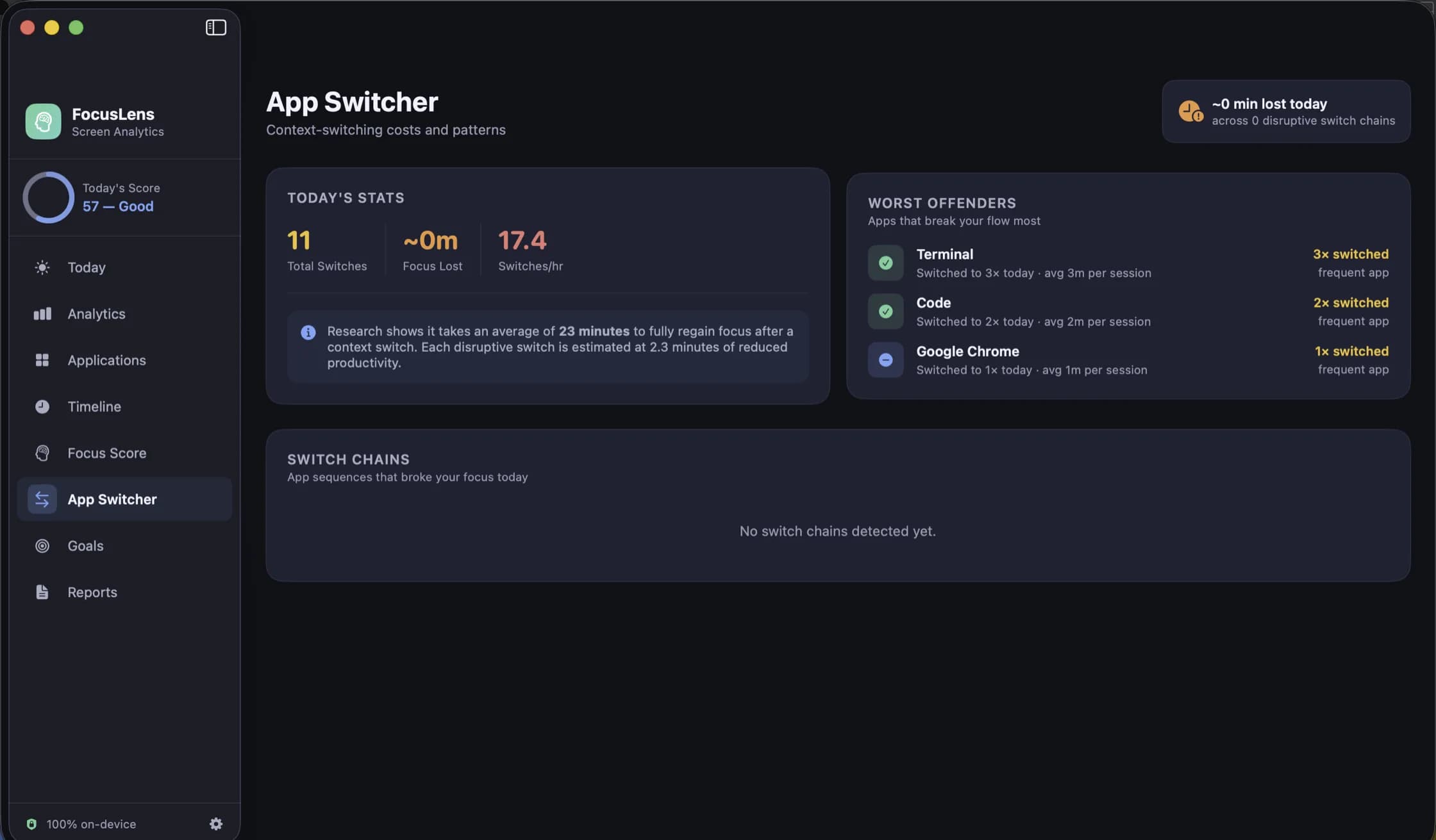
What switching costs. Every jump between apps is counted, and the disruptive ones, leaving real work or opening something distracting, are priced at the twenty-three minutes interruption research gives for getting back into a task. The App Switcher names the apps that break your focus most. The context switching post explains where that figure comes from.
A day you can replay. The Timeline keeps every session, its app, category, start, end and duration, for any day you pick.
Goals that read from real usage. A daily target for the work you want more of and a limit for the time you want less of, both filled in from what you actually logged. Limits notify you; they never block.
Privacy, compared
Both run on your Mac. The difference is in what is recorded and where it goes.
Screen Time records websites by design, because that is part of what it is for, and it can share usage across your devices through your Apple Account. FocusLens records less and keeps it in one place. For each session it stores the app name, its bundle identifier, the category and the times it started and stopped. Not window titles, not URLs, not document names, not keystrokes. It makes no network requests at all, so none of it leaves the Mac, and it asks for no permission to track. The post on how FocusLens tracks without permissions explains how that works.
Using both
They do not conflict. FocusLens does not read Screen Time's data and Screen Time does not know FocusLens exists, so you can leave both running.
A combination that works well: keep Screen Time for what it is best at, the cross-device total and the occasional hard limit on your phone. Use FocusLens on the Mac where you work, to see how good those hours were and what to change. If FocusLens shows that one chat app breaks your focus twenty times a day, a Screen Time limit on it is a sensible next step.
FocusLens is free, and in limited preview while the release build is notarized. Ask on its page and a build comes back by email.
Questions people ask
- Does FocusLens use Screen Time's data?
- No. FocusLens does not use the Screen Time API at all. It times the app in front of you itself, from the app-activation notifications macOS broadcasts, which is why it needs no permission.
- Can FocusLens block an app like Screen Time's App Limits?
- No. FocusLens limits are goals: they measure your real usage against the amount you set, and can notify you, but they never block anything.
- Does FocusLens track websites?
- No. It records the app, its category and when the session started and stopped. It never records URLs, window titles or document names, which Screen Time's website tracking does by design.
Related reading
- A week with FocusLens: a seven-day experiment in seeing your own attentionInstall it on Monday and change nothing for two days. Fix the categories, replay a day, find the app that breaks your focus most, set one goal, find your best hours, and read the week back on Sunday. What to look at each day, and what people usually find.
- FocusLens is not a timesheet. Freelancers should use it anywayFocusLens records which app was in front, not which client you were working for, so it will never fill in an invoice. What it will do is show how many of your billable hours were actually focused, how much the inbox costs you, and where your best hours are, without recording a single client name.
- Categories you can argue with: how FocusLens files your apps, and how to overrule itProductive, communication, distracting, entertainment, utilities, neutral. FocusLens sorts every app into one of six categories by default, and the default will be wrong about somebody's job. Here is what each category does to your numbers, and how one override rewrites your whole history.
Have a question about any of this?
Write in. The person who built the apps reads every message and replies within two working days.