Utilities for macOS
SweepyMac
A cleaner Mac that shows its work
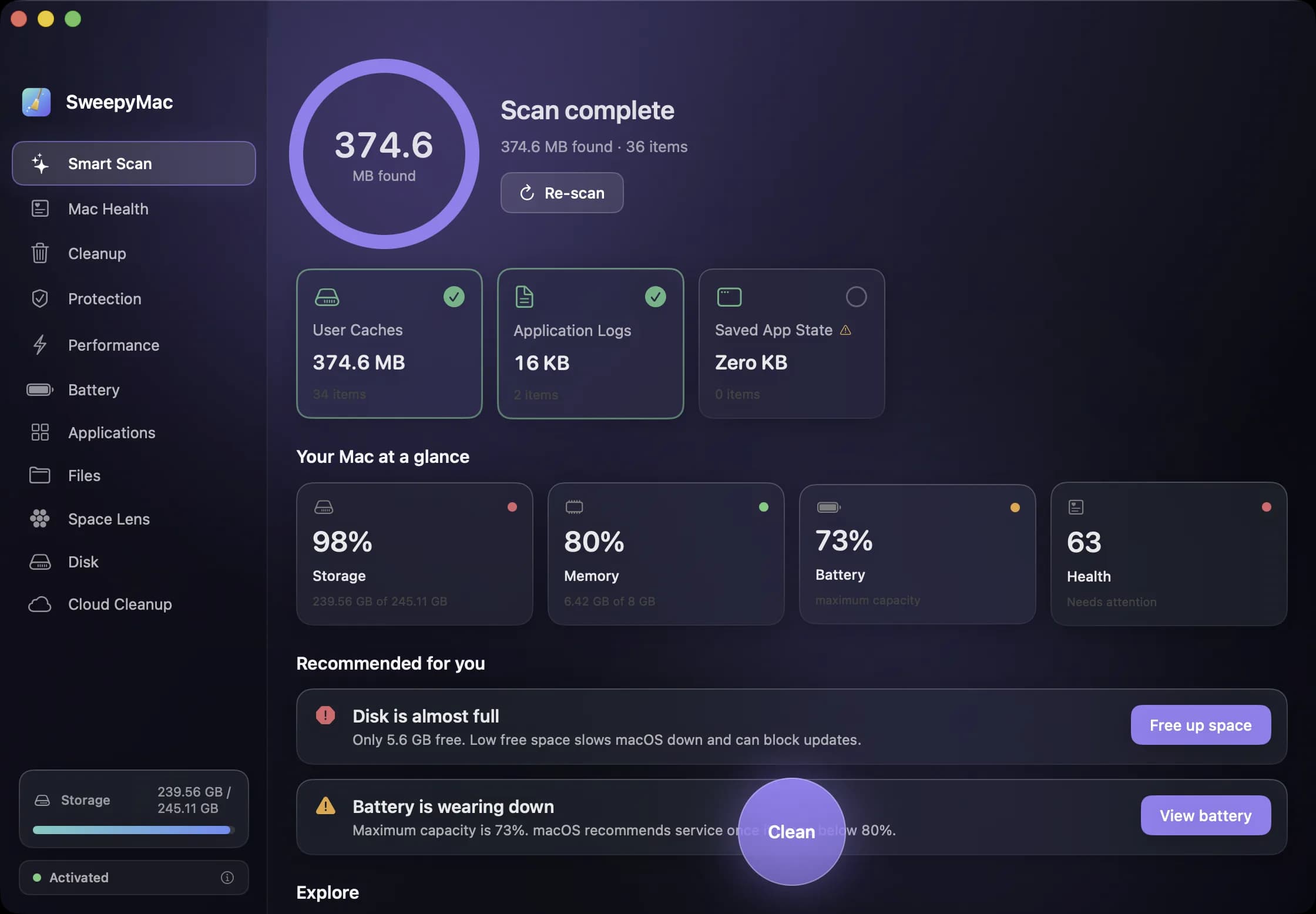
Eleven native tools in one window: a one-click scan, a health score, junk cleanup, browser privacy, live system meters, battery truth, a real uninstaller, big and duplicate files, and a live map of your disk. Everything it removes goes to the Trash, and every group opens up to show what is inside before you press anything.
SweepyMac is in limited preview while the release build is signed and notarized: a build and a thirty-day key go out by email. A download button replaces this the day the notarized build exists.
Version 0.1.0, 4.6 MB, updated 2026-09-09

A look around
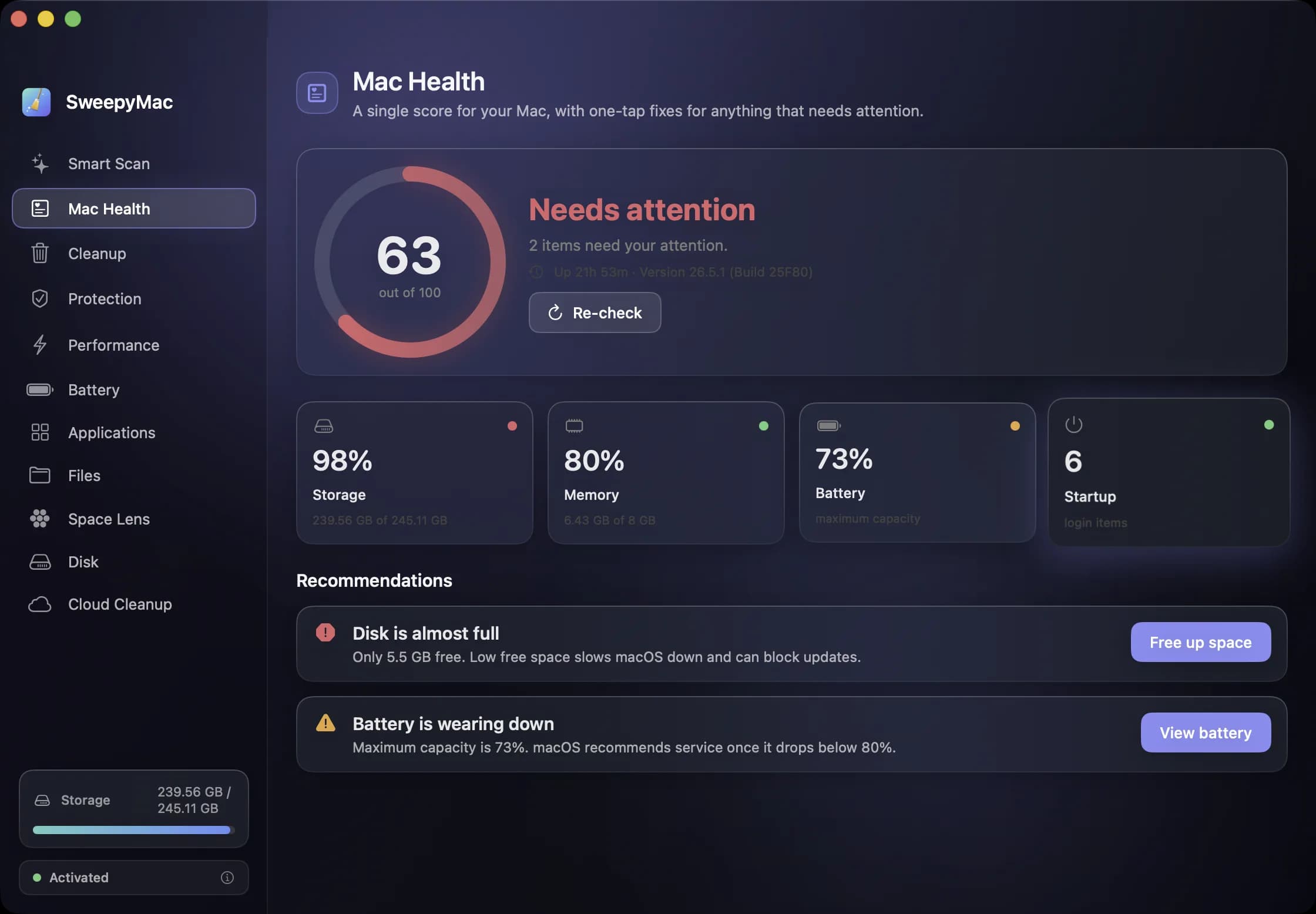
A score out of 100, and the two things dragging it down — each with the button that fixes it. 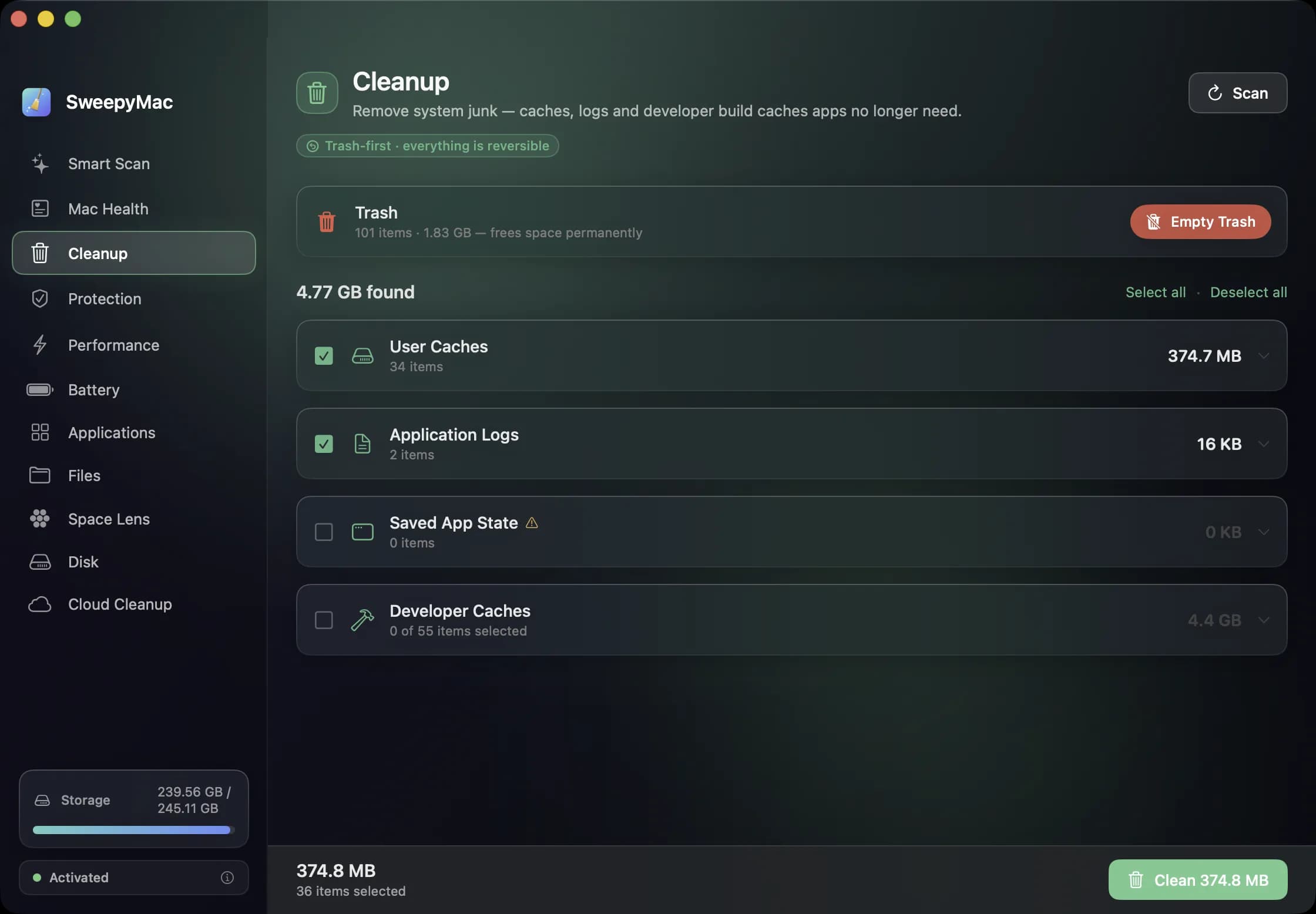
4.77 GB found, itemised. Developer caches are there but unticked — nothing conservative gets selected for you. 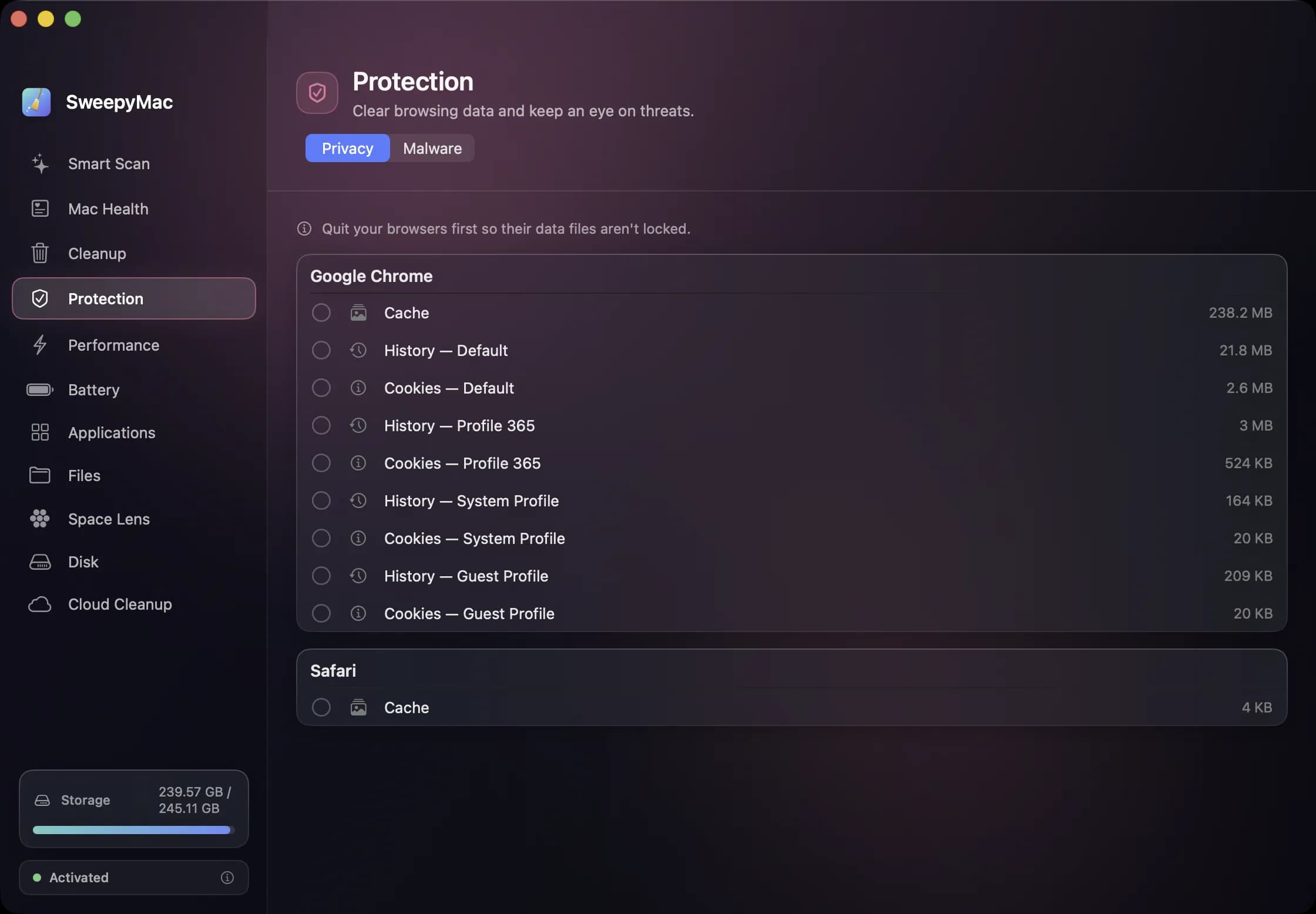
Browsing data, split by browser and by profile. Every row starts unticked. 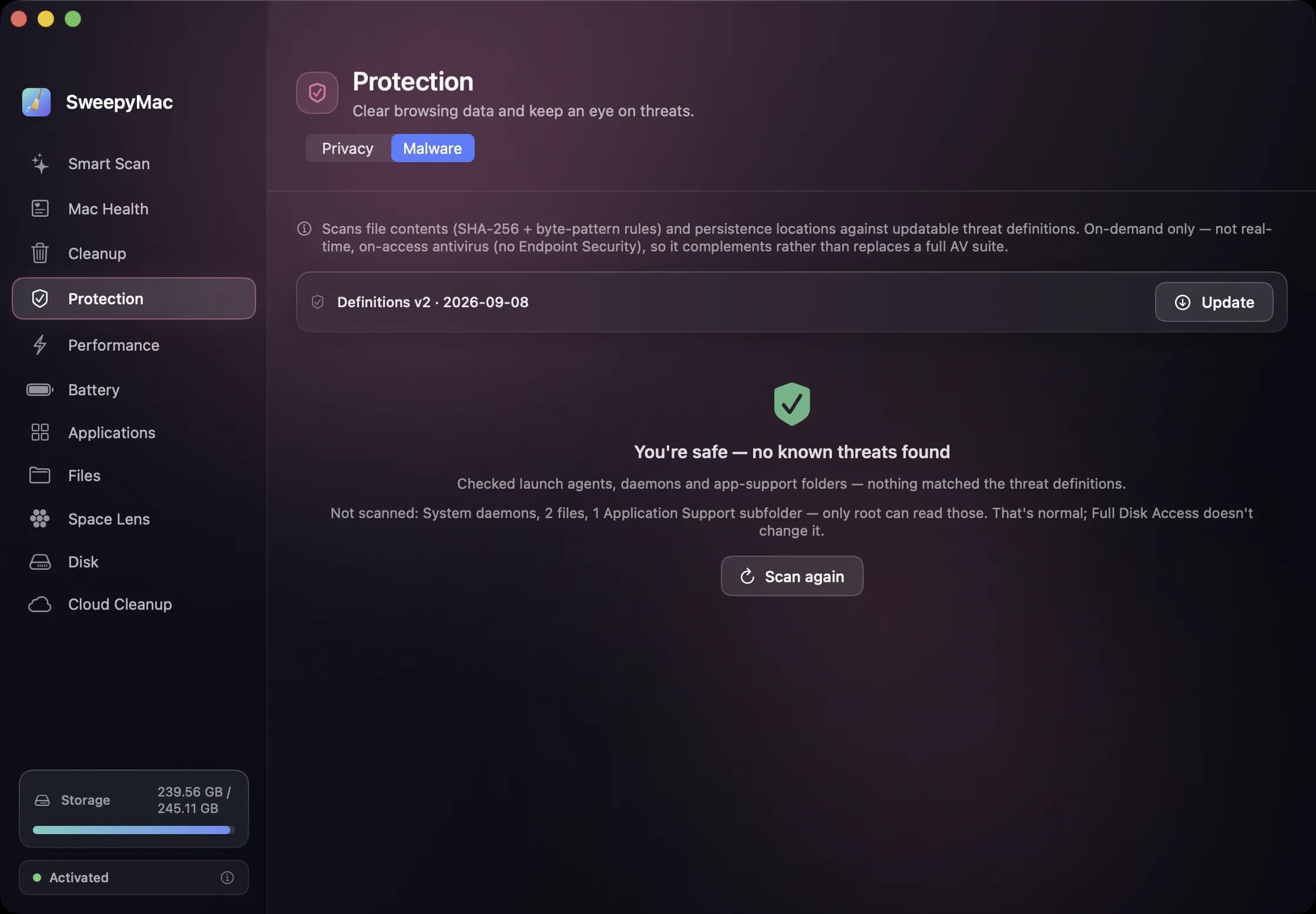
A content and persistence sweep against signed definitions — and an honest note about the files only root can read. 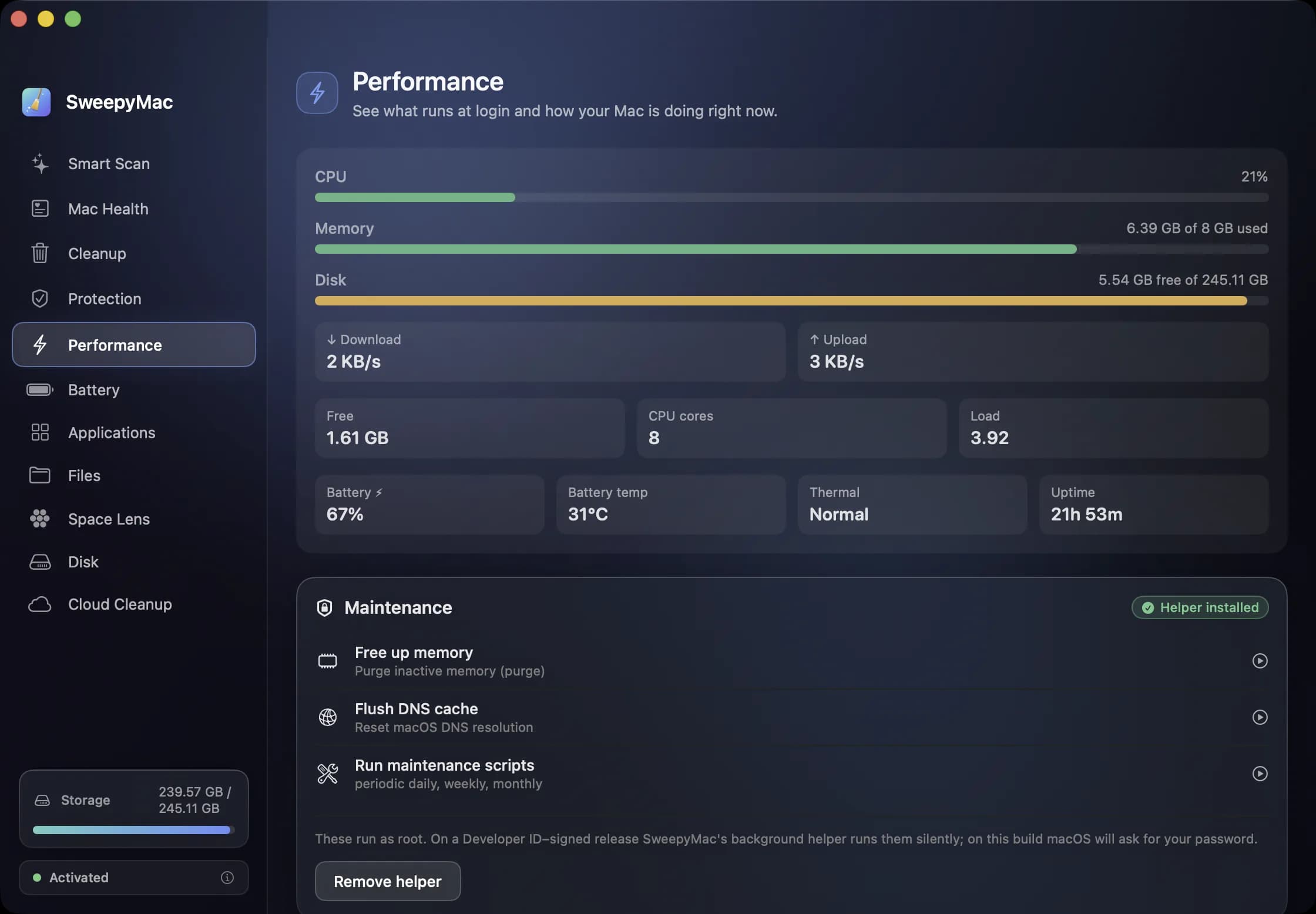
Live meters, and the maintenance chores you would otherwise open Terminal for. 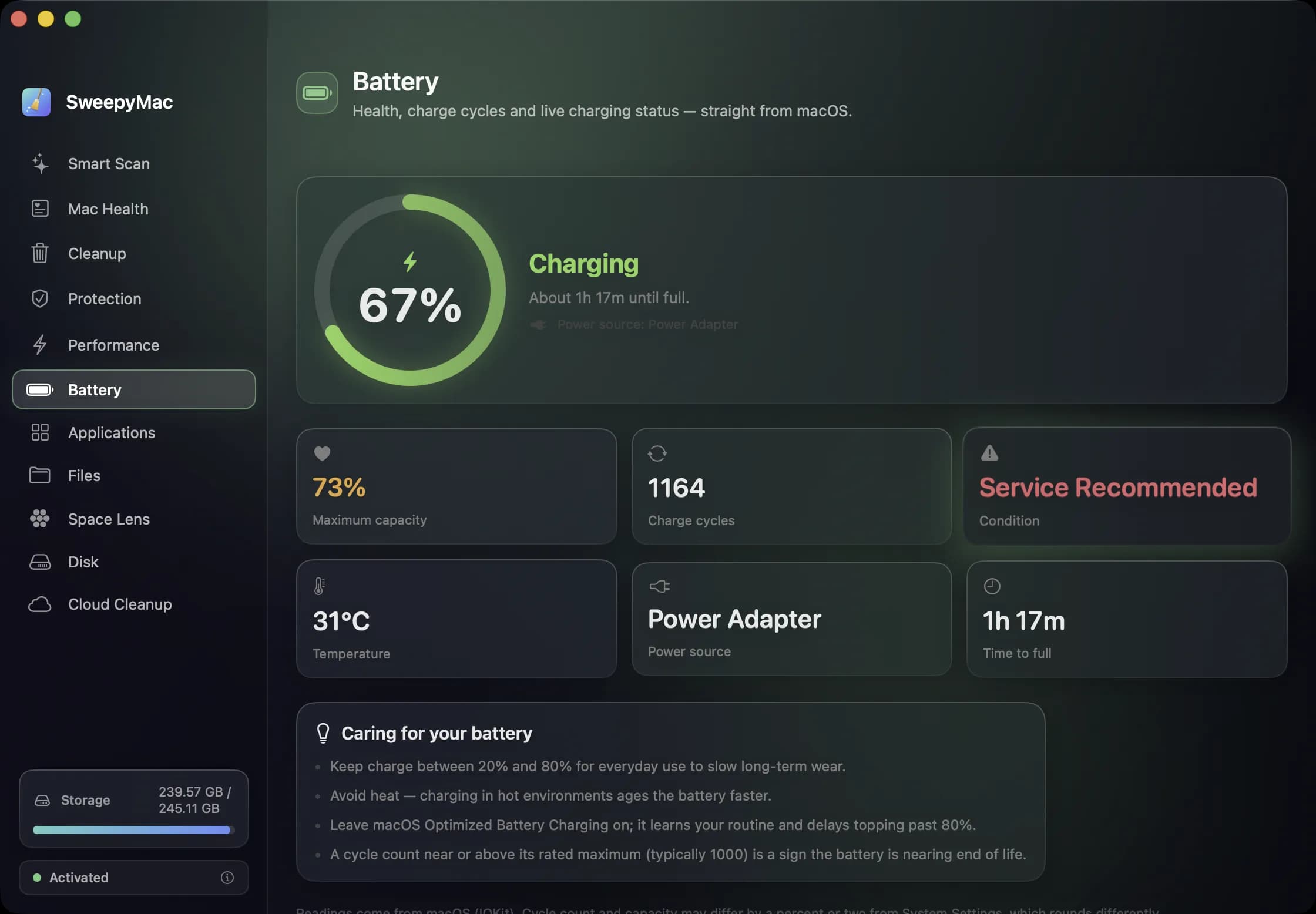
Battery health read from macOS — including when it says the battery needs service. 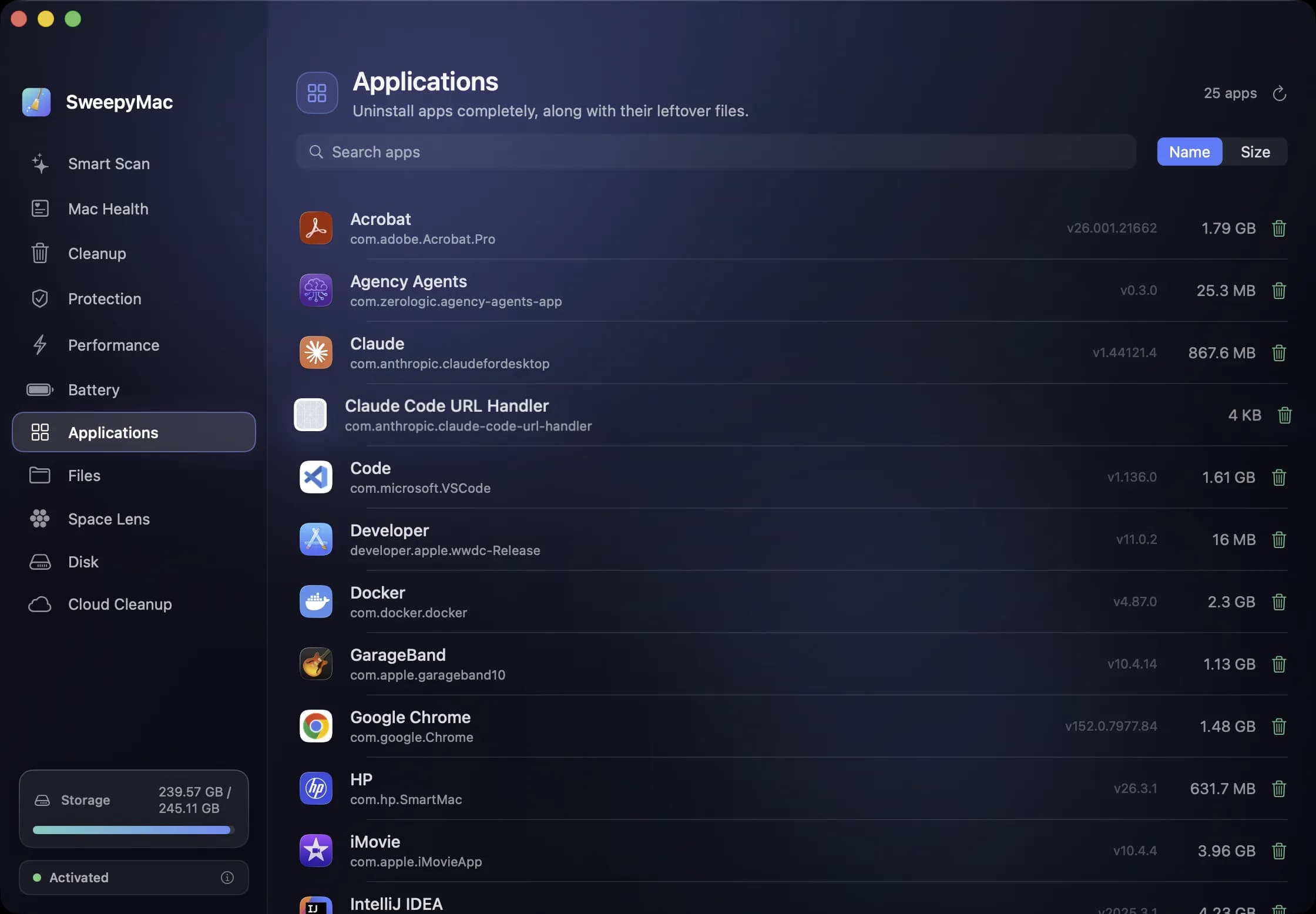
Every installed app with its size — and the preferences, caches and launch agents it would otherwise leave behind. 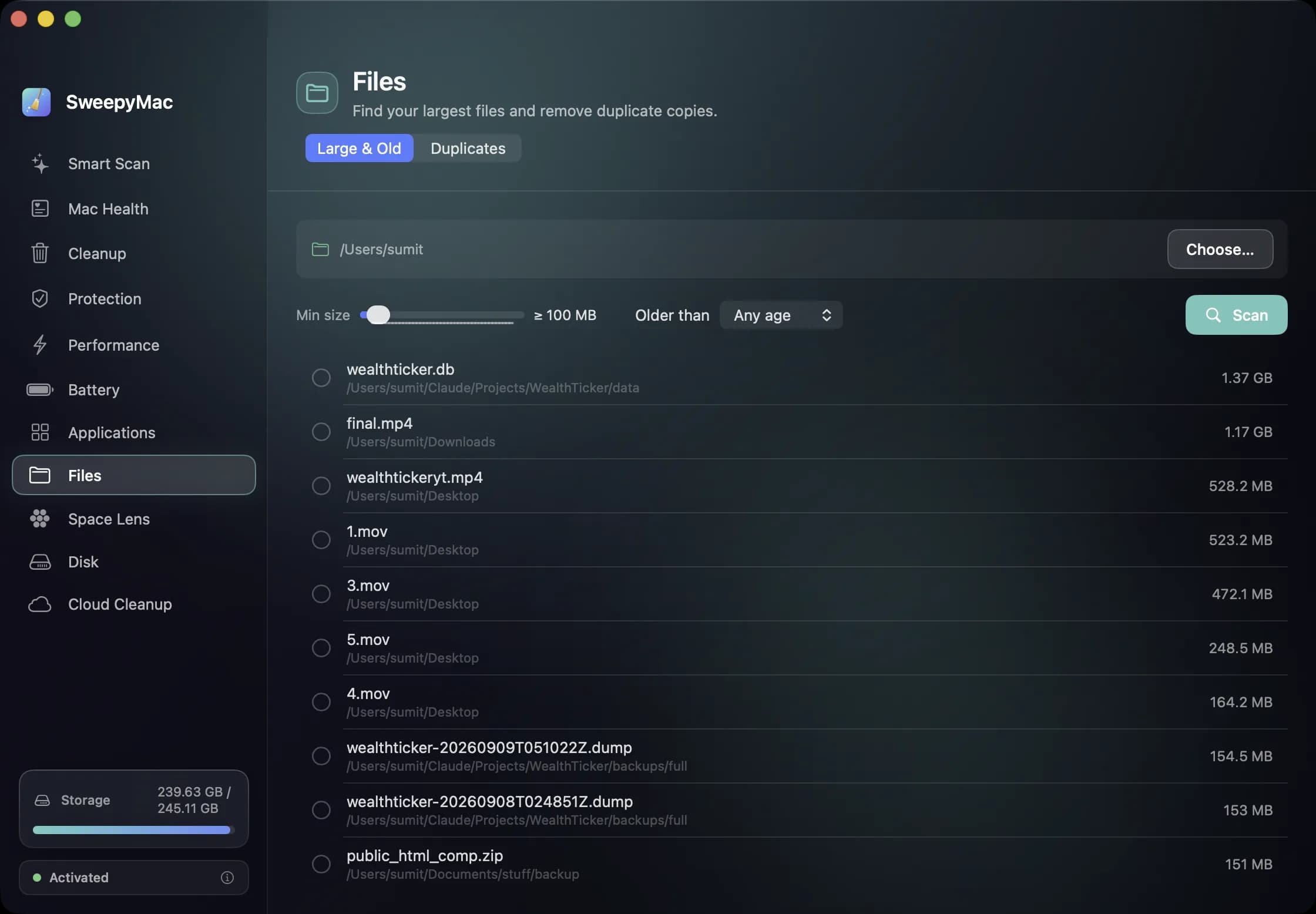
Point it at any folder, set a floor and an age, and see what is actually taking the room. 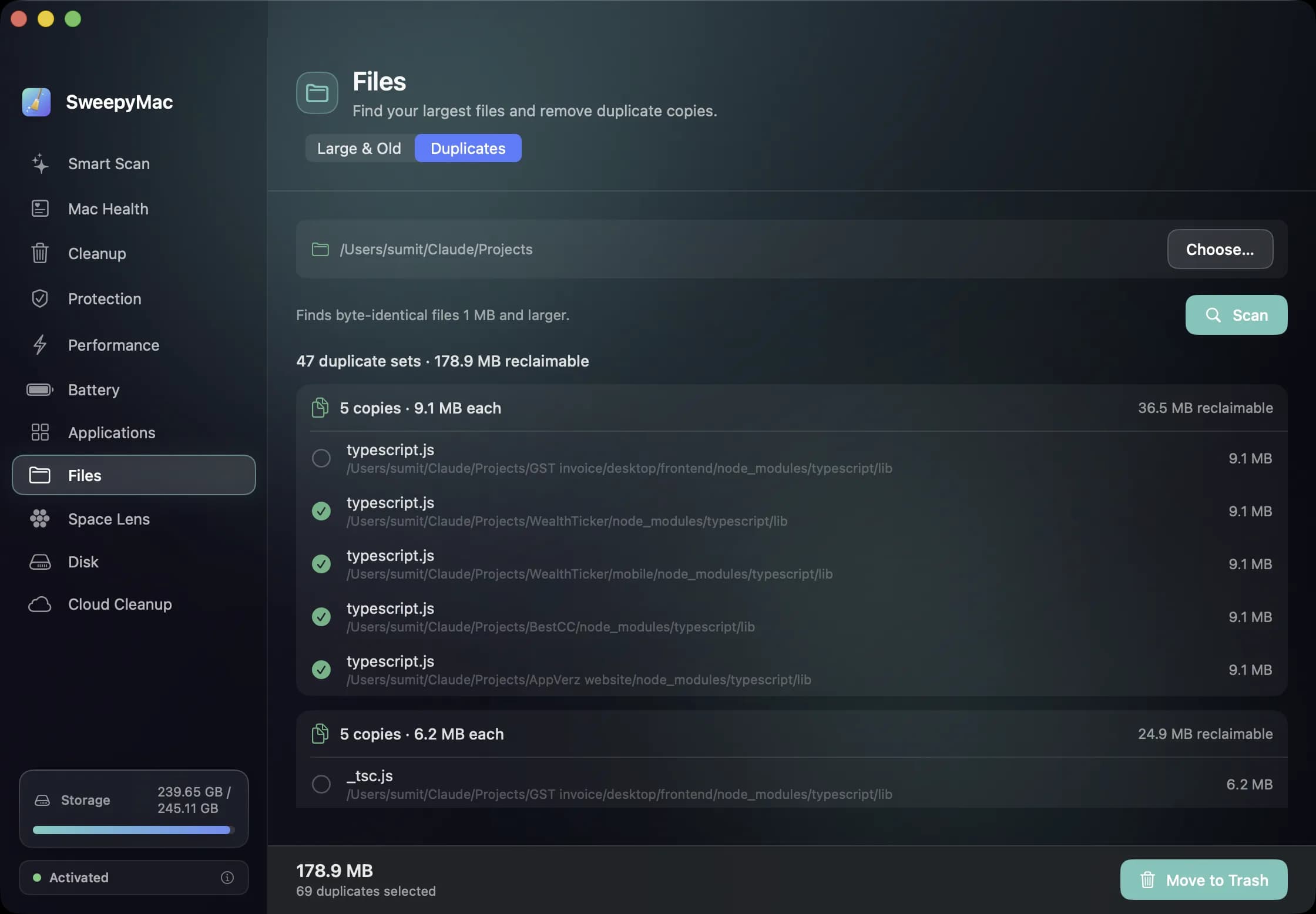
Byte-identical copies, not lookalikes — and one copy of every set always stays behind. 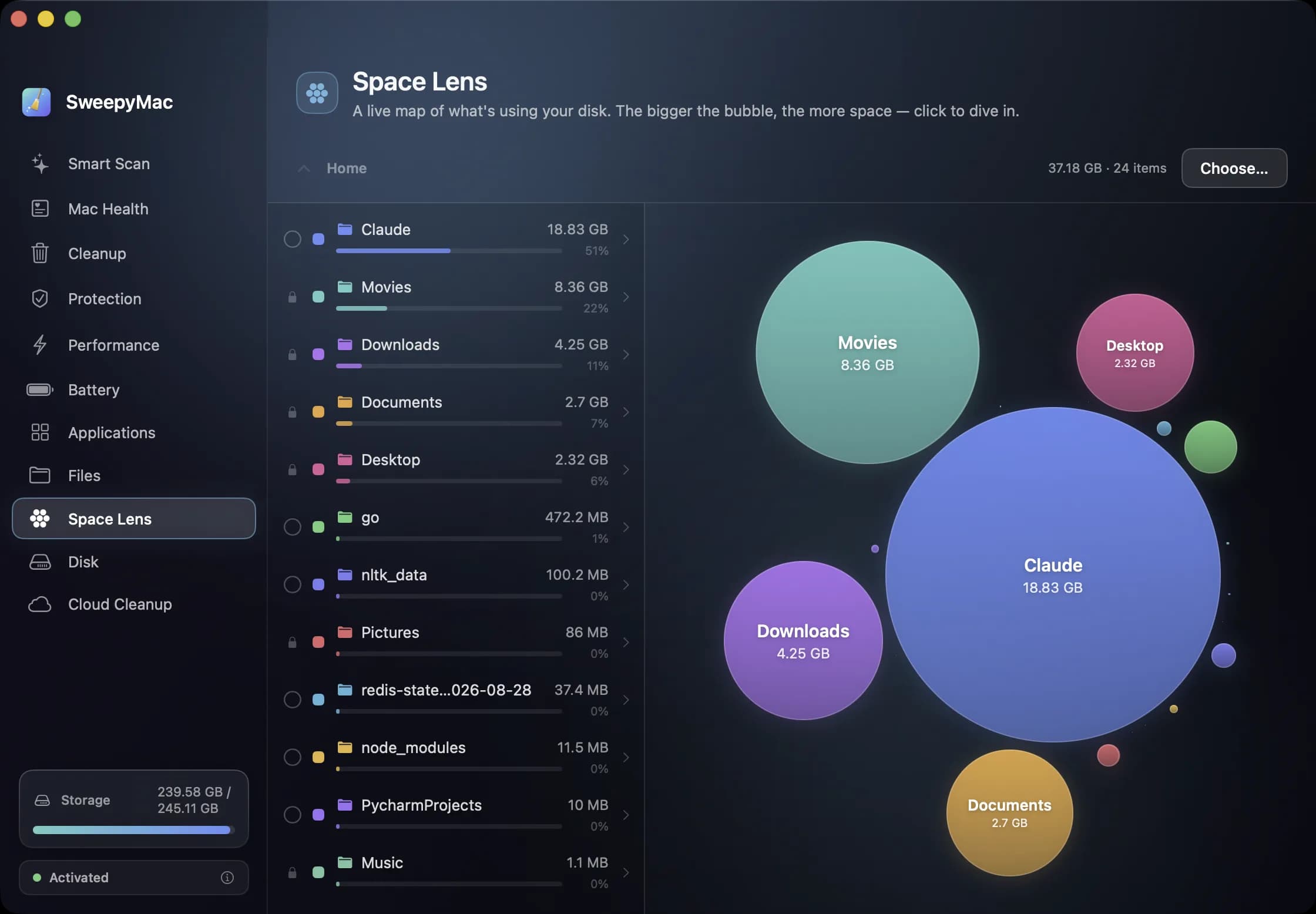
Space Lens measures live. Click a bubble to go deeper, or a folder to open it. 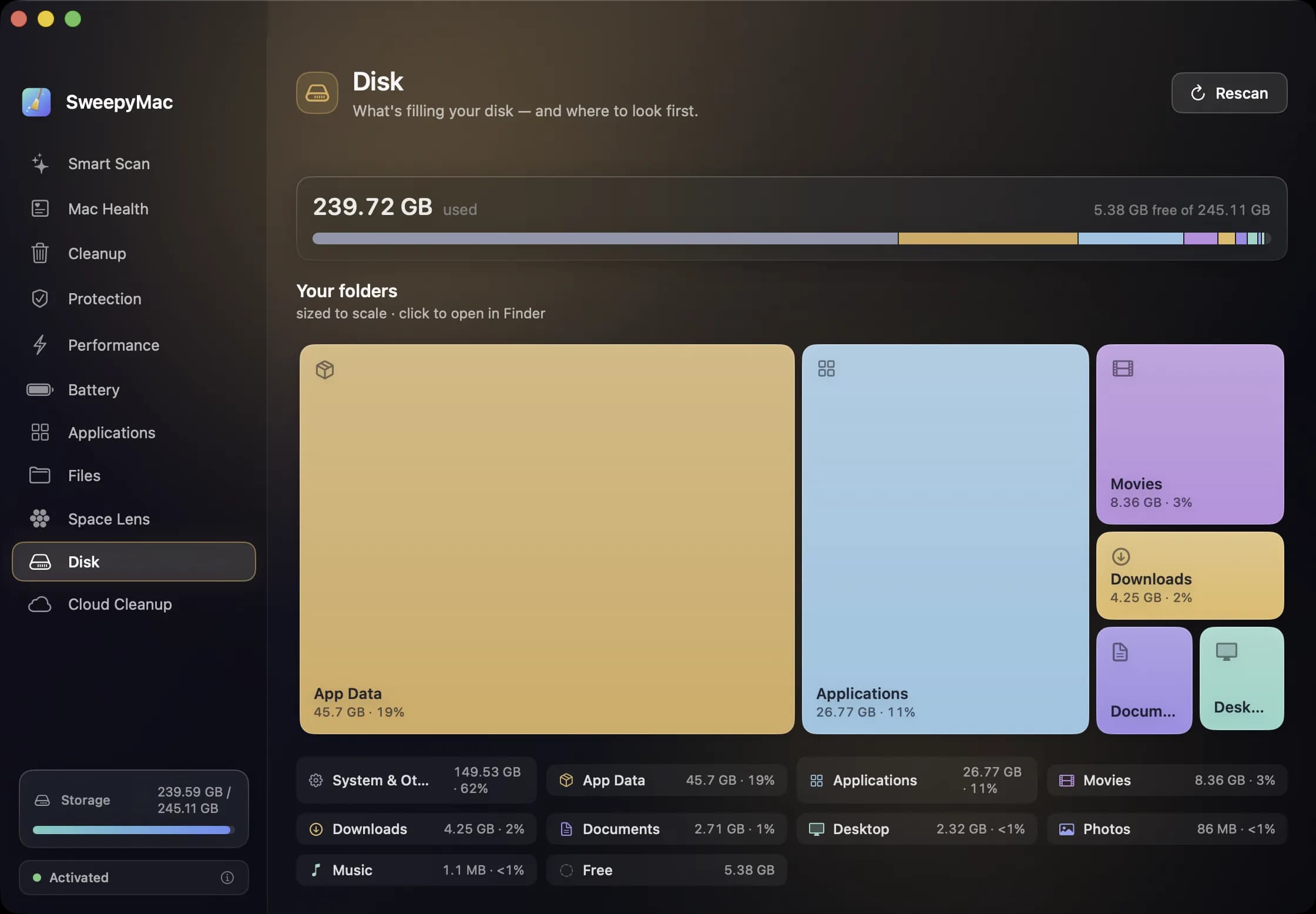
The whole volume drawn to scale — and the part it could not measure labelled, not guessed.
What’s in it
One scan, then your say
Smart Scan sweeps user caches, application logs and saved app state in a single pass and totals up what your Mac can reclaim. Only the conservatively safe categories arrive pre-selected, and nothing is cleaned until you press Clean.
Trash-first, and reversible
Nothing is hard-deleted. What SweepyMac removes goes to your Trash, every destructive action is paired with an in-app Undo, and each group opens up to show which files are inside and why they are safe to touch.
Health as a single number
One score out of 100, computed from storage, memory, battery and startup load, with recommendations written as sentences — “Disk is almost full”, not an error code — each one jumping straight to the module that fixes it.
Your disk, drawn to scale
Space Lens maps every folder as a bubble you can click into while it is still measuring; the Disk module draws the whole volume to scale. When something cannot be fully measured it says so, instead of inventing a number.
Uninstall means uninstall
Dragging an app to the Trash leaves its preferences, caches and launch agents behind. The Applications module takes them along with it — into the Trash, so even a full uninstall is something you can undo.
The big and the twice-saved
Point the Files module at any folder to find what is actually taking the room, or hunt duplicates — byte-identical copies rather than lookalikes, with one copy of every set left behind for you.
Space back without deleting a thing
Cloud Cleanup evicts the local copies of iCloud Drive files you have already downloaded. They stay in iCloud, the Finder still lists them, and opening one pulls it back.
Nothing leaves your Mac
No account, no telemetry, no analytics. Scans run on your Mac and their results stay there. The one thing the app fetches is its malware definitions file, and it verifies that file’s signature before trusting a byte of it.
Runs on
- macOS 14 Sonoma or later
- Universal — Apple silicon and Intel
- Full Disk Access for a complete scan — asked for in the open, and used only for the scans you start
- Price
- Free preview
- Availability
- Limited preview, by email
- Preview length
- Thirty days, then a preview key
Need a hand?
Questions, bugs and suggestions go to one address, and the reply comes from someone who worked on the app. The privacy policy is short, because the app collects nothing.