Productivity for macOS
FocusLens
See where your attention actually went
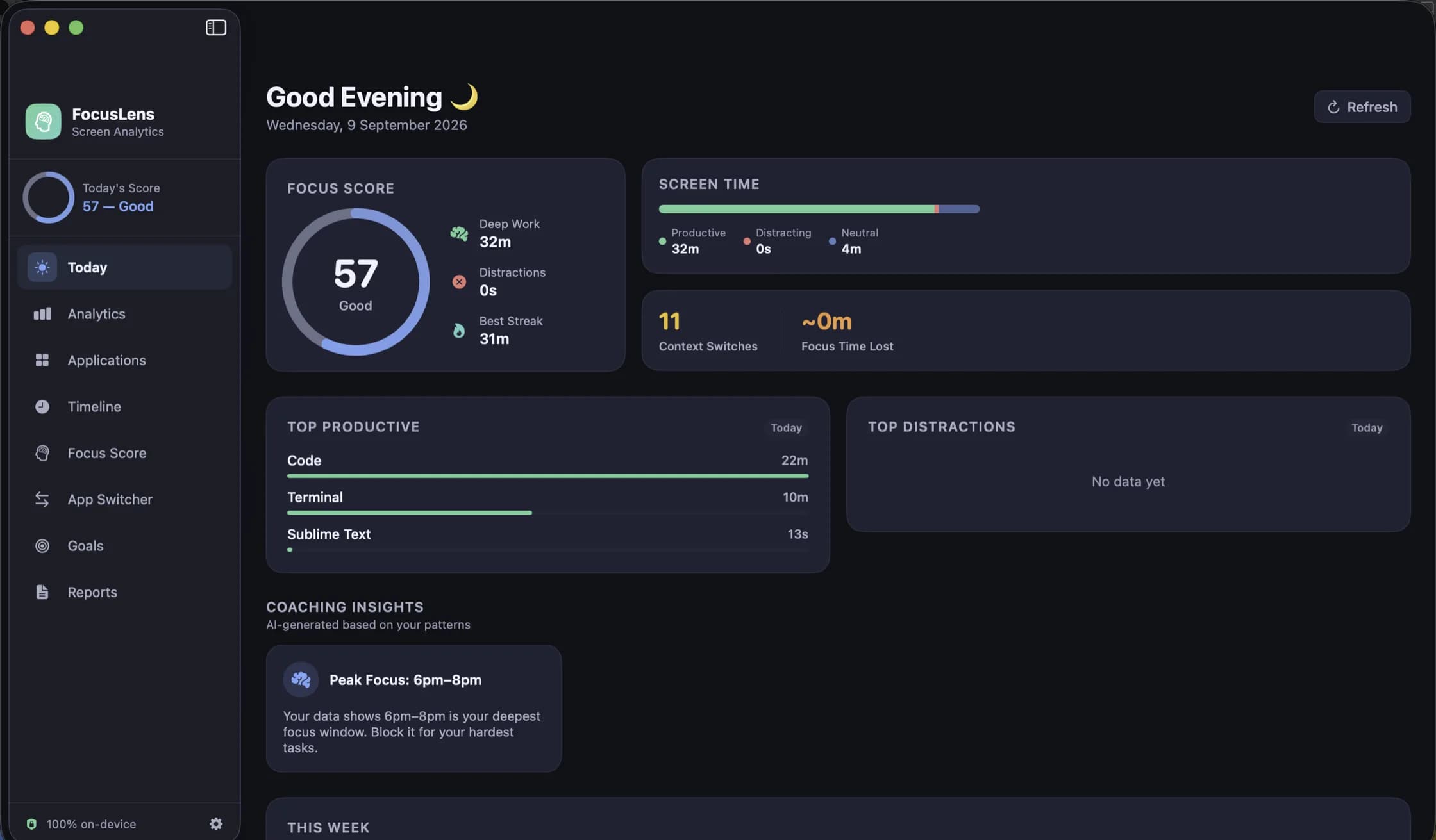
FocusLens watches which app is in front of you, sorts the day into productive, distracting and neutral time, and turns it into a focus score you can take apart. It prices what context switching costs you, keeps every session in a log you can walk back through, and does all of it on your Mac — no account, no Screen Time API, and no permission prompt to get started.
FocusLens is in limited preview while the release build is notarized: a build goes out by email. A download button replaces this the day the notarized build exists.
Version 1.0, 5.2 MB, updated 2026-09-09
A look around
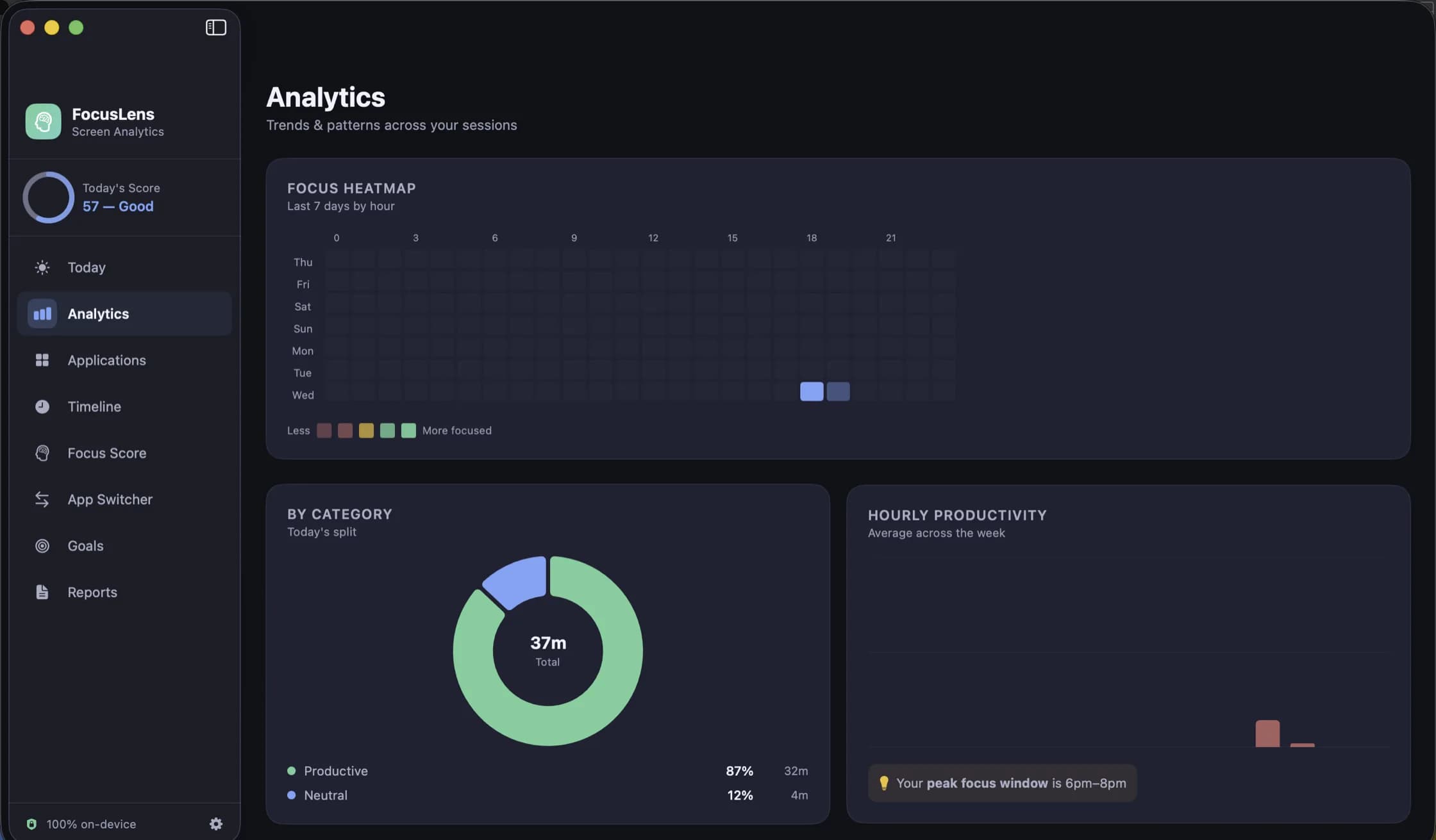
A week by the hour, the category split, and the window when you are actually sharp. Every chart answers on hover. 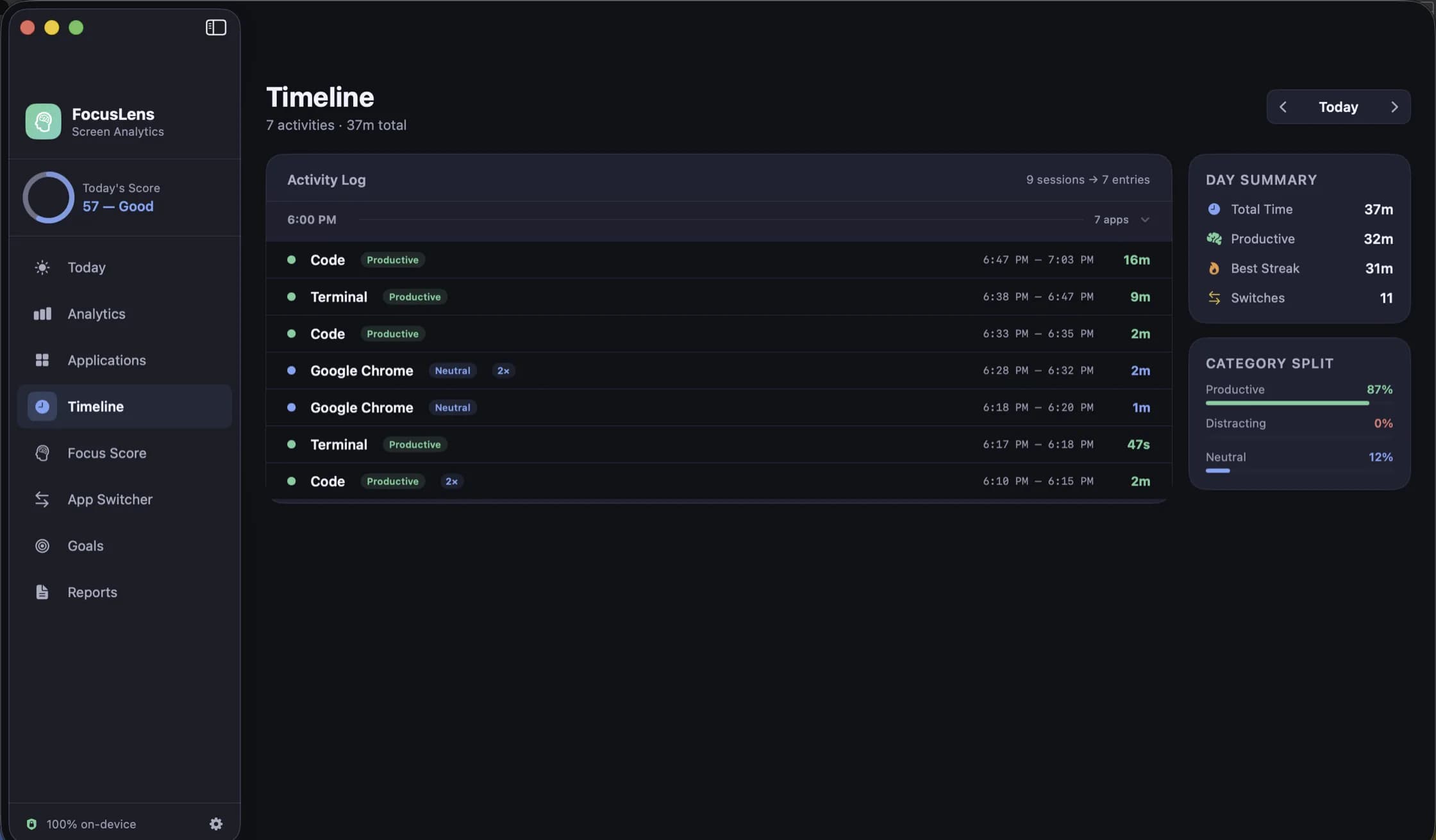
Every session of any day, in order, with the totals beside it. 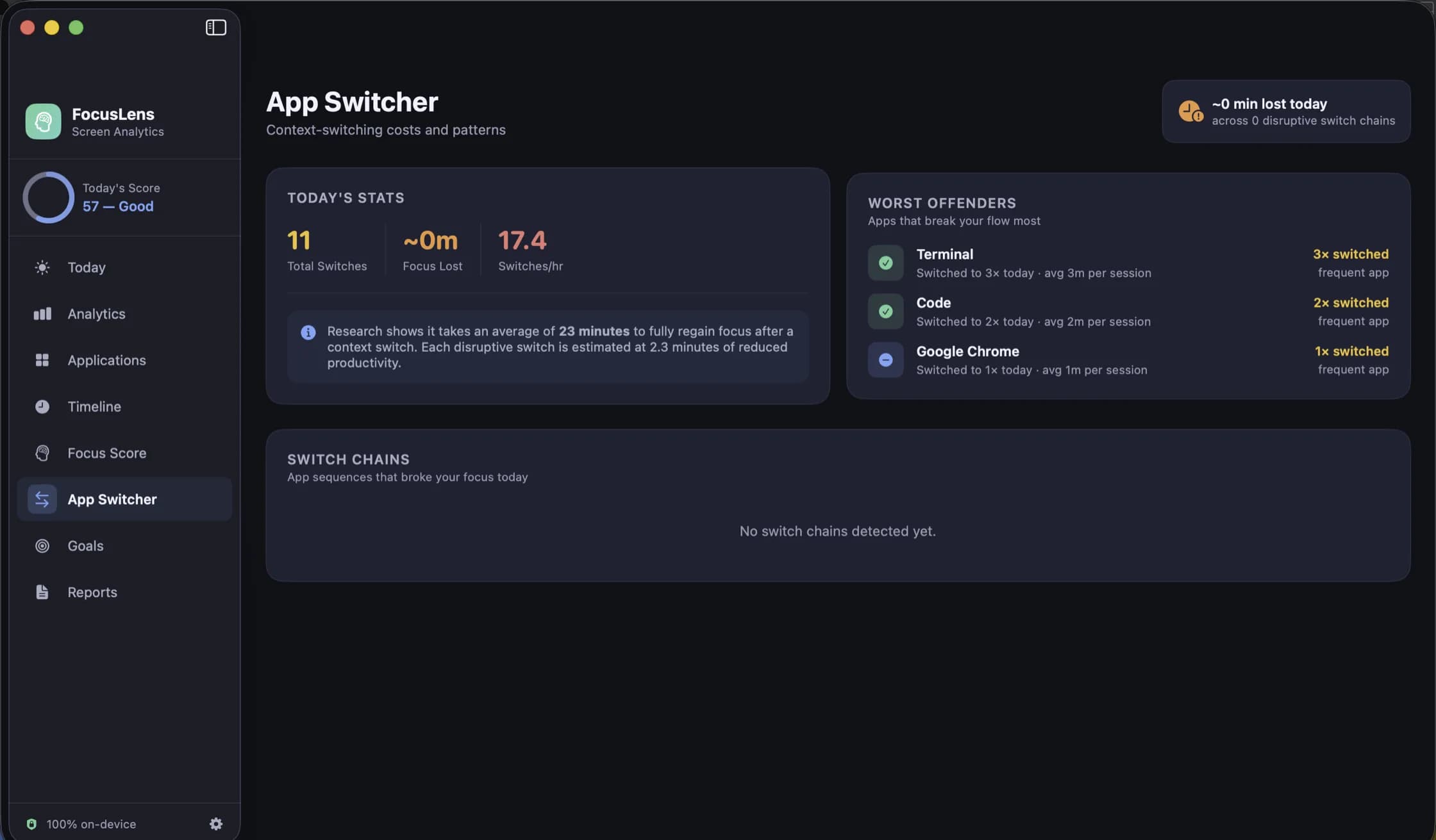
The apps that break your flow most, and what the interruptions add up to. 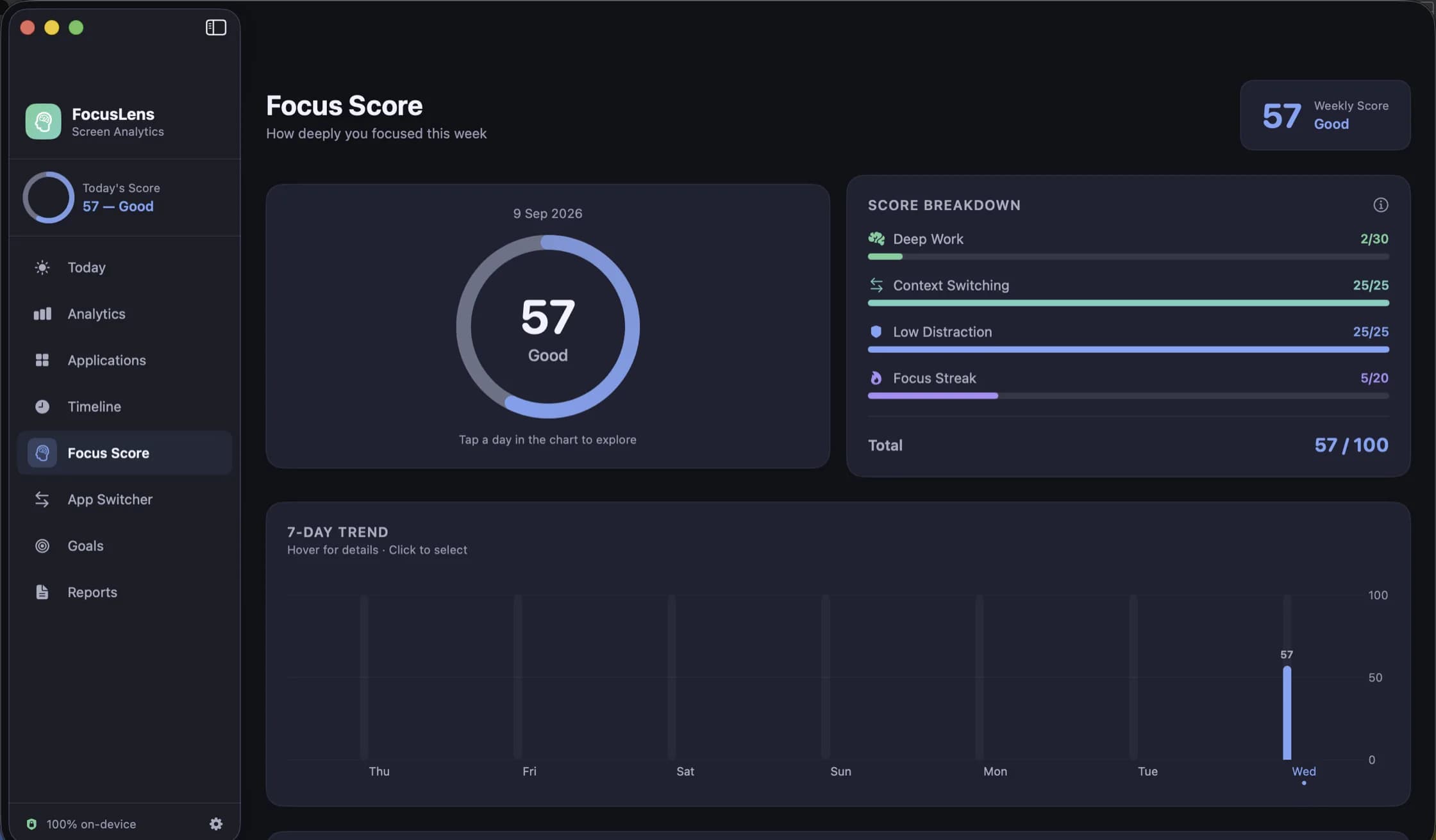
The score, opened up. Deep work was the part that fell short, and it says so. 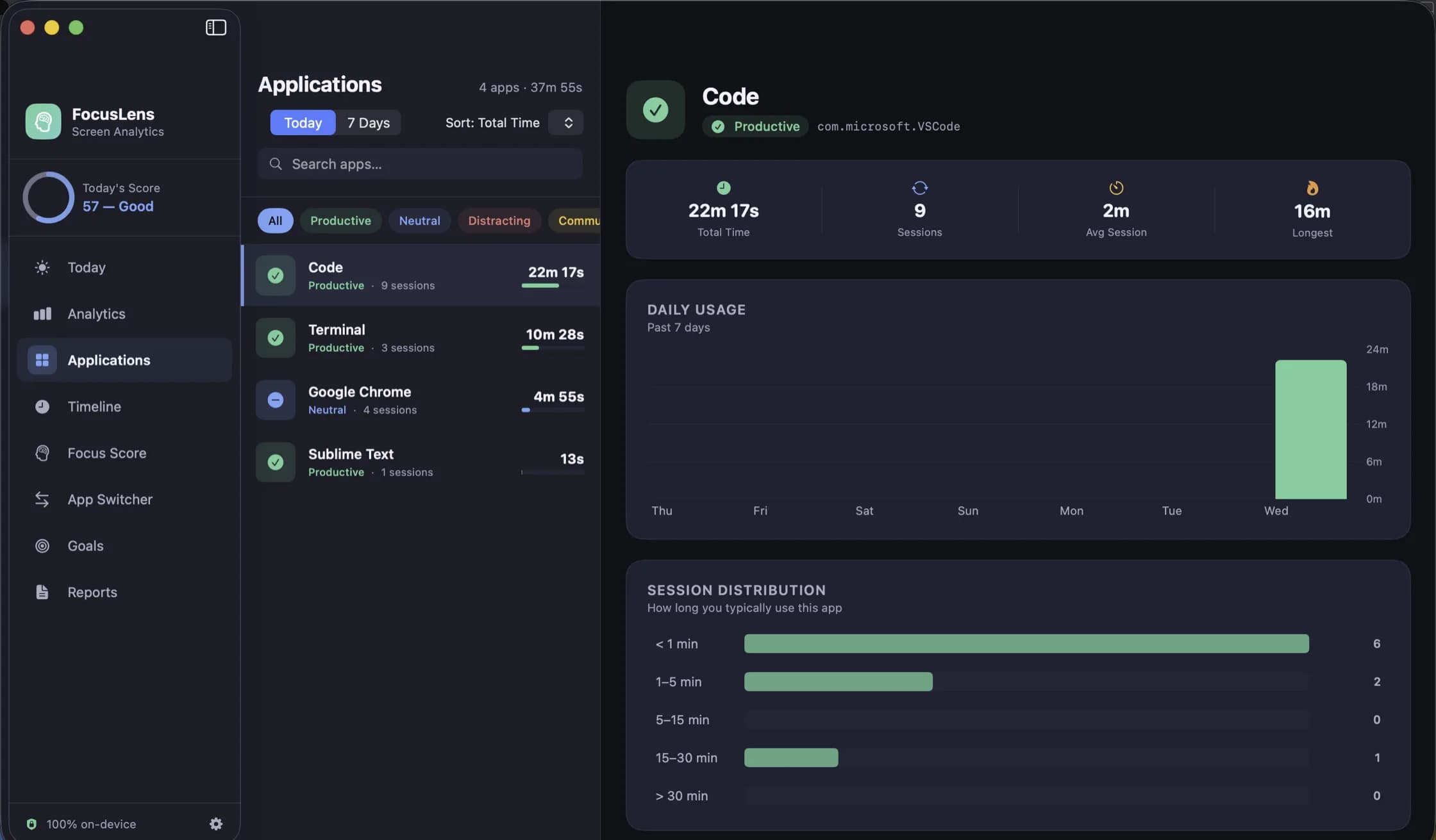
One app at a time: how long, how often, and how long you typically stay in it. 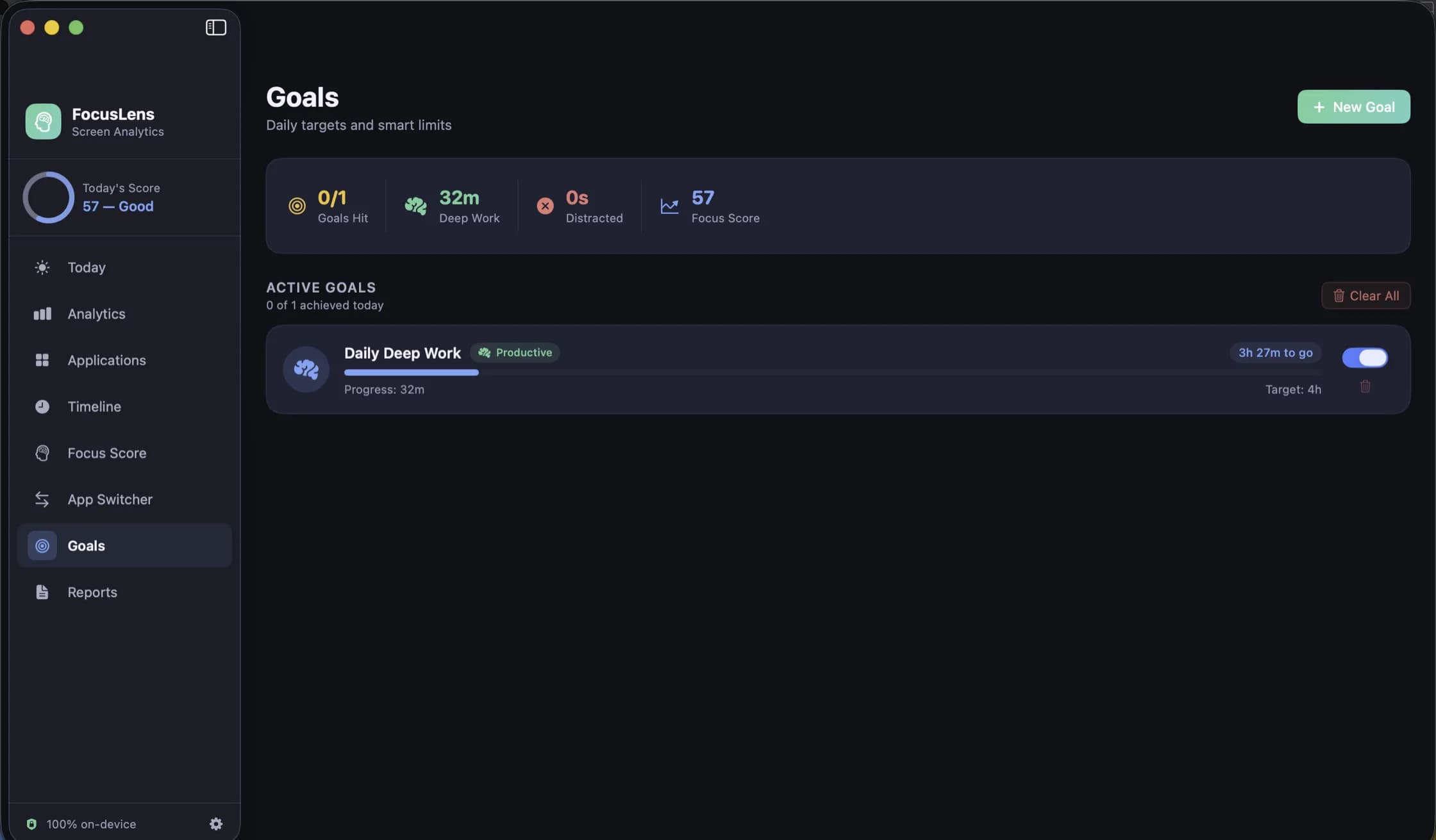
Targets and limits, filled in from the hours you really logged. 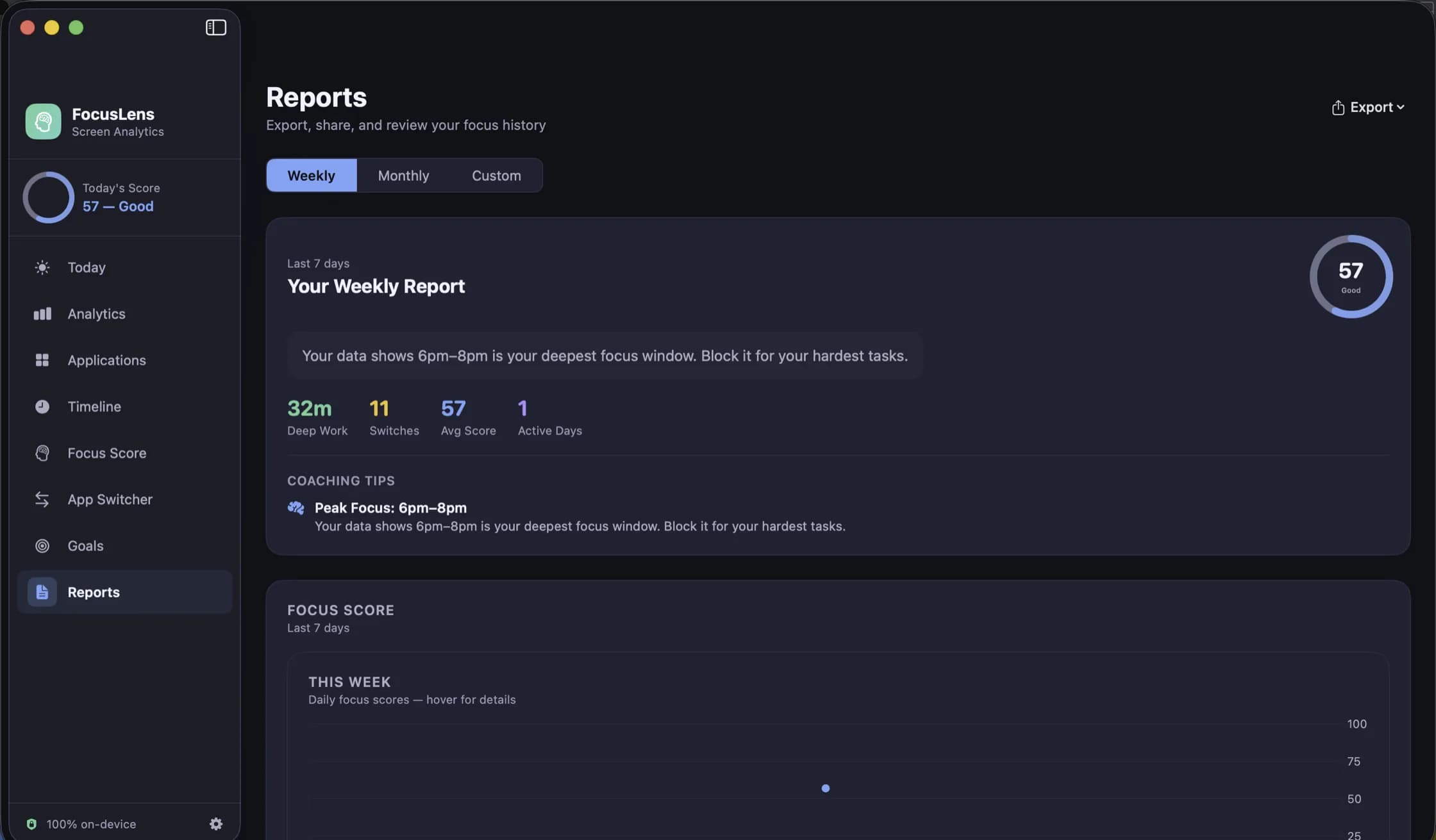
A week, a month or a range you pick — written out, and exportable as PDF or CSV.
What’s in it
Tracking that asks for nothing
No Screen Time API, no Accessibility permission, no browser extension. FocusLens listens for the app-activation notifications macOS already broadcasts, times the gap between them, and throws away anything under five seconds. It stops counting when the screen sleeps, and it never records itself.
A score you can take apart
One number out of 100, and the four things it is made of: deep work, context switching, low distraction and your longest unbroken streak. Every component shows its own bar and its own ceiling, so a bad day tells you which part went wrong.
What switching actually costs
Every jump between apps is counted, and the disruptive ones — leaving real work, or opening something distracting — are priced at the twenty-three minutes research says it takes to get back. The worst offenders are named, and rapid-fire switch chains are grouped so you can see the bursts.
Categories you can argue with
Apps land in productive, communication, distracting, entertainment, utilities or neutral by default. When the classifier is wrong about one — and for somebody it always is — override it in Settings and every past day recalculates around your answer.
Goals measured against real usage
Set a daily target or a limit against any category and the progress bar reads from the hours you actually logged, not from a number typed once and left to rot. Pause a goal, delete it, or let it notify you when it is met.
Every day, replayable
The timeline keeps a per-session log — app, category, start, end, duration — for any day you pick, with the totals and the category split beside it. The Applications view turns the same data around: one app at a time, its sessions, its busiest day, how long you typically stay in it.
Reports that leave the app
Weekly, monthly or a date range you choose, with a written summary, the score history and a first-half-against-second-half comparison. Export the range as a PDF to send on, or as CSV to take somewhere that does its own arithmetic.
Nothing leaves your Mac
No account, no sign-in, no analytics, no advertising, no server — FocusLens makes no network requests at all. Everything it records stays in its own storage on your Mac and goes when the app goes.
Runs on
- macOS 14 Sonoma or later
- Universal — Apple silicon and Intel
- No Accessibility or Screen Time permission — tracking reads the same app-activation notifications the Dock does
- Price
- Free preview
- Availability
- Limited preview, by email
- Preview length
- Thirty days, then a preview key
Need a hand?
Questions, bugs and suggestions go to one address, and the reply comes from someone who worked on the app. The privacy policy is short, because the app collects nothing.