 AppVerz
Blog / 6 November 2026
FocusLens is not a timesheet. Freelancers should use it anyway
FocusLens records which app was in front, not which client you were working for, so it will never fill in an invoice. What it will do is show how many of your billable hours were actually focused, how much the inbox costs you, and where your best hours are, without recording a single client name.
We hear from freelancers fairly often, and the first question is nearly always the same: can FocusLens fill in my timesheet? It cannot, and it is worth being clear about why before talking about what it does instead.
Why it will never fill in an invoice
FocusLens records, for each session, the app that was in front, its category, and when the session started and stopped. That is all. It does not read window titles, document names or the URL of the page you are on.
That makes it the wrong tool for billing. It can tell you that you spent three hours in your design tool on Tuesday. It cannot tell you that two of them were for one client and one for another, because the only thing that would reveal that, the name of the file, is exactly what it refuses to look at.
If you bill by the hour, keep using a timer you start and stop per client. FocusLens does a different job, and for freelancers it is arguably the more useful one.
What it is good for
Checking your hours against your estimate
A timer tells you how long you were "on" a project. FocusLens tells you how much of that time was focused. When a job you quoted at ten hours took sixteen, the Timeline for those days usually explains it: the work itself took about ten, and the rest was spent in short visits to email and chat between sittings.
That is useful for the next quote. If your real productive rate is five focused hours in an eight-hour day, quoting as if it were eight will keep putting you behind.
Seeing what the inbox costs
Freelancers carry the communication overhead that an employer would otherwise absorb: client email, chat with three different teams, calls. FocusLens files these apps under communication, so you can see the total on its own instead of buried in "work".
The App Switcher goes further. It counts every switch between apps, prices the disruptive ones at the twenty-three minutes research gives for getting back into a task, and names the apps responsible. If one client's chat channel breaks your focus twenty times a day, you will see it, and you will have a number to bring to a conversation about response times. The context switching post explains the figure.
Fixing categories for the way you work
The default categories assume a typical office job, and freelancers are rarely typical. If your client's chat app is where the work happens, or the browser is your main tool, override the category in Settings and every past day recalculates. The categories post covers how.
Finding your best hours, and pricing them
Analytics draws a seven-day heatmap by hour and names your peak focus window. When you set your own schedule, that is the most valuable thing FocusLens can tell you: put the work that needs thinking there, and put calls and admin elsewhere. Some freelancers go further and keep their peak hours for their best-paying work.
Reports you can keep
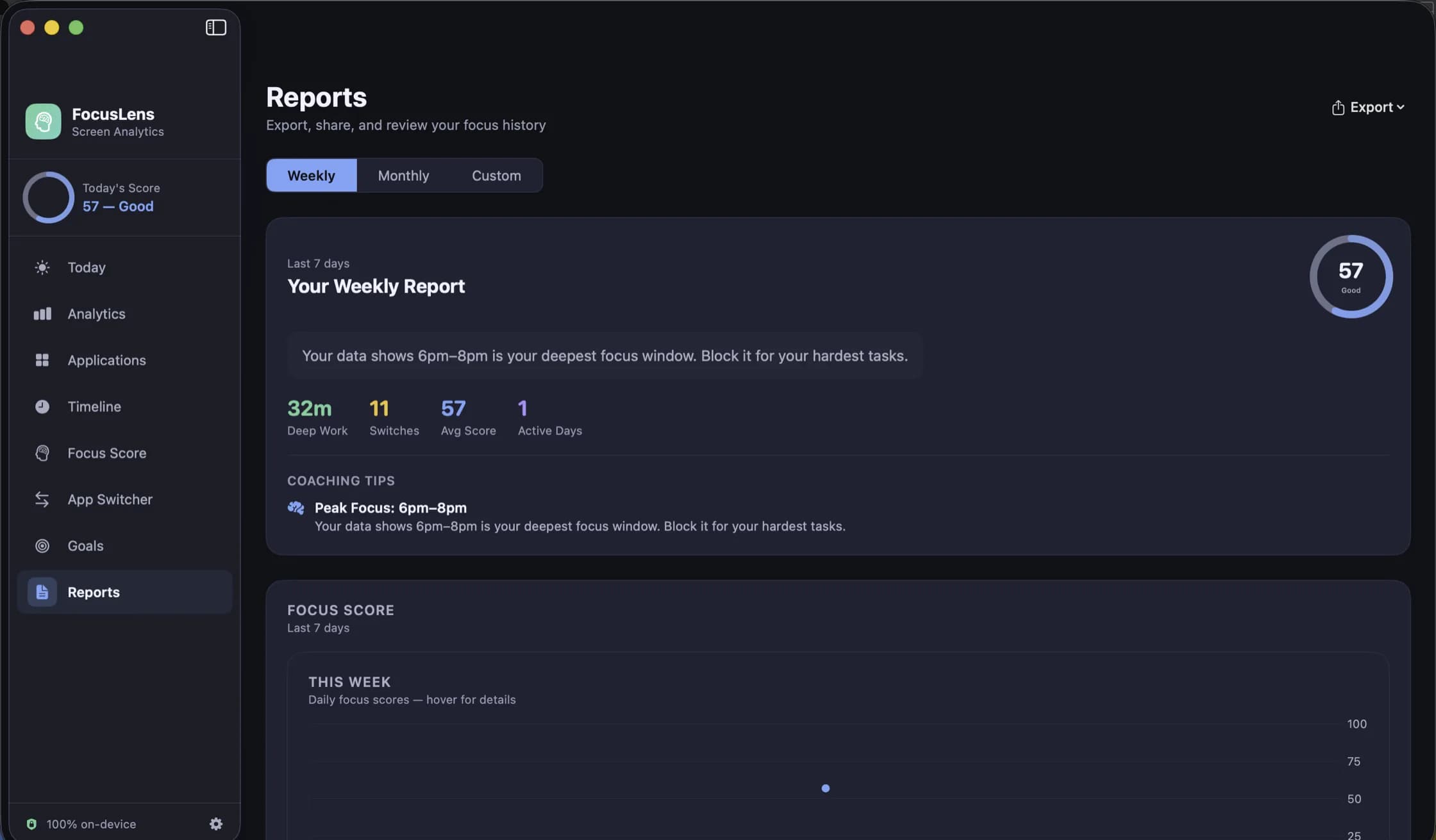
Reports writes up any week, month or range you choose, with your average score, deep work, switches and active days. Export it as CSV to put next to your own timesheet in a spreadsheet, or as a PDF for your own records. The reports post covers what each view shows.
The privacy part matters more for you
Freelancers often work under NDAs, on unreleased products, for clients who would rather nobody knew they were clients. A tool that recorded window titles would be logging project names, document names and the subject lines of client email.
FocusLens records none of that. It makes no network requests at all, so the little it does record never leaves your Mac, and it has no account to tie it to. When you want it gone, Settings has a Clear Data button, and deleting the app removes the rest. The post on why our apps make no network requests explains what that means in practice.
Getting it
FocusLens is free. It is in limited preview while the release build is notarized, so ask on its page and a build comes back by email. A good way to start is the seven-day experiment: install it, change nothing for two days, then look at one screen a day.
Questions people ask
- Can FocusLens track time per client or per project?
- No. It records the app, its category and when the session started and stopped. It cannot tell which client a document belongs to, because it never reads window titles or document names.
- Can I get the data into a spreadsheet?
- Yes. Reports exports the range you are looking at as CSV, or as a PDF to send on.
- Is it safe to run under a client's NDA?
- FocusLens never records window titles, URLs, document names or keystrokes, and makes no network requests, so nothing about your clients' work is stored or leaves your Mac. Check your contract's terms, but there is very little for it to apply to.
Related reading
- A week with FocusLens: a seven-day experiment in seeing your own attentionInstall it on Monday and change nothing for two days. Fix the categories, replay a day, find the app that breaks your focus most, set one goal, find your best hours, and read the week back on Sunday. What to look at each day, and what people usually find.
- Screen Time tells you how long. FocusLens tells you how wellScreen Time is built into your Mac and counts hours per app across your devices. FocusLens counts the same hours on one Mac, then asks a different question: how much of that time was focused, and what kept breaking it up. What each is for, and why they work side by side.
- Categories you can argue with: how FocusLens files your apps, and how to overrule itProductive, communication, distracting, entertainment, utilities, neutral. FocusLens sorts every app into one of six categories by default, and the default will be wrong about somebody's job. Here is what each category does to your numbers, and how one override rewrites your whole history.
Have a question about any of this?
Write in. The person who built the apps reads every message and replies within two working days.