 AppVerz
Blog / 11 November 2026
How many hours of deep work can you actually do in a day?
Probably fewer than your calendar assumes, and more than a day of meetings allows. What the research on expert practice suggests, why four hours is a ceiling rather than a target, how to find your own number, and how to stop a good number from turning into an unrealistic goal.
Cal Newport's Deep Work defines it as concentrating, without distraction, on something that pushes your abilities to their limit. It is the kind of work that improves a draft, a design or a piece of code, as opposed to answering questions about it. Most people agree that they want more of it. Very few know how much they currently do, or how much is realistic to aim for.
What the research suggests
Anders Ericsson's studies of expert performers, starting with violinists in the early 1990s, measured how much intense, effortful practice the best of them did. The answer was not "as much as possible". It was roughly four hours a day, usually in sessions of an hour or ninety minutes with breaks between them, and the best performers also slept more. Similar limits have been described in writers, scientists and athletes. Past a point, more hours of that kind of effort stop producing better work.
Newport puts it this way: around four hours is the limit for people well practised at deep work, and someone new to it may manage an hour.
Two things follow from that:
- Four hours is a ceiling, not a target. Most people, on most days, do less, because they also have meetings, messages and errands.
- A typical eight-hour workday holds much less deep work than it seems to. If your calendar assumes six hours of focused output a day, it is planning for something almost nobody does.
Why your real number is probably lower than you think
Ask people how long they focused yesterday and they give the length of the stretch they meant to focus for. They leave out the six times they checked chat and the twenty minutes that went on a "quick" email. Memory records the plan, not the interruptions.
So do not start by setting a target. Measure first.
Finding your own number in two weeks
Week one: measure and change nothing. Work normally. At the end of each day, note two numbers: total time on your real work, and your longest unbroken stretch of it. The second number is the more honest of the two.
Week two: protect one block a day. Pick the time of day when your week-one data looked best. Block 90 minutes there. Close chat, put the phone in another room, and work on one thing. Note the same two numbers.
At the end you have a baseline, what one protected block adds to it, and a fairly good idea of what your ceiling is right now. Set your goal a little above the baseline, not at the ceiling. A goal you meet four days a week builds a habit. A goal you miss every day teaches you to ignore it.
Making the number grow
The capacity for deep work grows with practice, the way stamina does:
- Lengthen blocks before adding more of them. One good 90-minute block is worth more than three 30-minute ones that each start with ten minutes of warming up.
- Keep shallow work out of deep blocks. Batch messages before and after, not during. The cost of a context switch explains why one check costs more than it seems to.
- Put deep work in your best hours. For many people that is the morning. For many it is not. Finding your peak focus window is about checking which group you are in.
- Stop at the ceiling. A fifth hour of hard, tired work tends to produce what you redo the next morning.
Doing the measuring with FocusLens
The two-week method works with a notebook, provided you are honest with it every day. FocusLens does the counting for you, without asking for any permission, and keeps it on your Mac.
- Deep work is the largest part of the focus score, 30 of its 100 points, counted from your time in productive apps. It reaches full marks at six hours and stops there, on purpose. We did not want the app to reward the twelve-hour day. Six is above Ericsson's four because app time includes some shallow work done in productive apps.
- The focus streak is your longest unbroken run of focused work, and it is worth 20 points. It is the "longest stretch" number from week one, measured for you.
- Productive sessions of 20 minutes or more are marked as deep work in the timeline and in exports, so you can see which sessions were long enough to count.
- The Analytics heatmap draws your week hour by hour and names your peak focus window. That is the information you need to place week two's block.
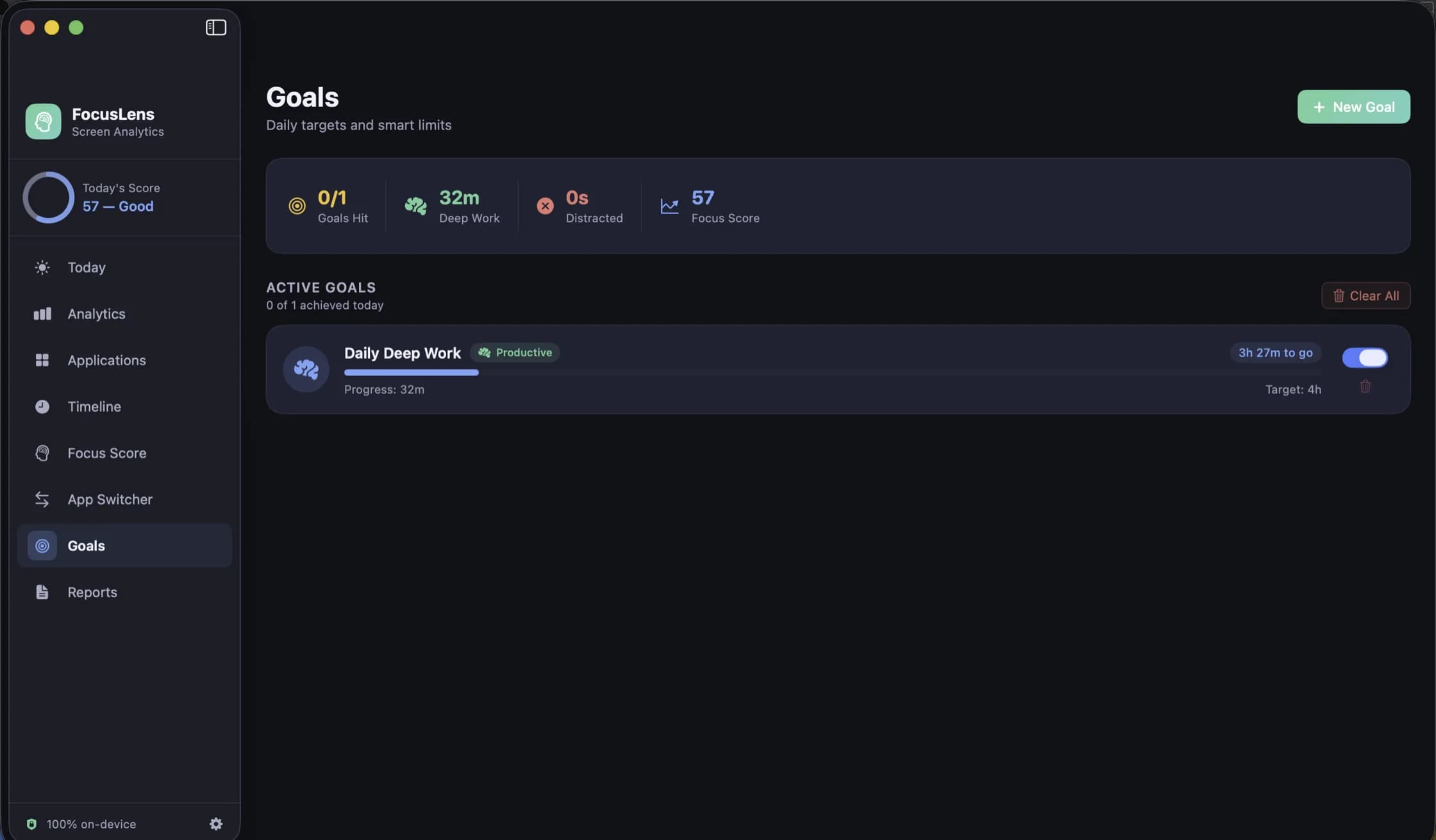
- Goals: the first goal FocusLens asks you for is a daily deep work target. Its progress bar fills from the hours you really logged, not from what you remember. Set it at your week-one baseline plus a little, as above.
FocusLens has one limit you should keep in mind. It records which app was in front, not what you were doing in it. An hour reading the news in a browser filed as productive will count as an hour of deep work. Fix the categories in the first few days (how to overrule them), and lock the screen when you walk away.
FocusLens is free for three days, then $19.99 once, with no subscription and no account. Download it from its page and leave it alone for a week. Your week-one baseline will be there when you look.
Questions people ask
- Is four hours of deep work a day realistic?
- For experienced people doing demanding work, four hours is roughly the upper end of what research on expert practice suggests can be sustained, and most people manage less on most days. Two to three hours of real, unbroken work is a good day for a lot of people.
- Do meetings count as deep work?
- No. Meetings, email and chat are shallow work. They may be necessary, but they are reactive, and they break your attention into pieces instead of sustaining it.
- How does FocusLens decide what counts as deep work?
- It counts time in apps filed as productive. Deep work is a quarter of the focus score, with full marks at six hours. A productive session of 20 minutes or more is also marked as deep work in your logs and exports. It knows which app was in front, not what you were thinking, so the categories you set matter.
Related reading
- Time blocking on a Mac, and checking that the blocks actually happenedTime blocking works when you plan every hour of the day, and it fails quietly when the plan and the day drift apart. How to set it up with the Calendar app you already have, how to handle the day falling apart by lunchtime, and how to audit each block against what you really did.
- Checking Slack and email less: how to batch messages, and how to know it workedMost people check messages dozens of times a day, and few could say how many. What the research says about checking less, a batching routine that survives a real job, the macOS settings that make it stick, and how to measure the habit instead of guessing.
- How to find your peak focus window, and test whether it is realFocusLens can name the hours you do your best work. That chart shows when you did focus, which is not always when you could. A two-week method for finding your window, separating it from your calendar, and proving it by moving your hardest task.
Have a question about any of this?
Write in. The person who built the apps reads every message and replies within two working days.