 AppVerz
Blog / 28 September 2026
Finding the large, old files that are actually taking the room
A folder, a size floor from 10 MB to 2 GB, and an age filter. What SweepyMac's Large & Old scanner includes, the four kinds of thing it deliberately skips, and why a hard link is listed as freeing nothing.
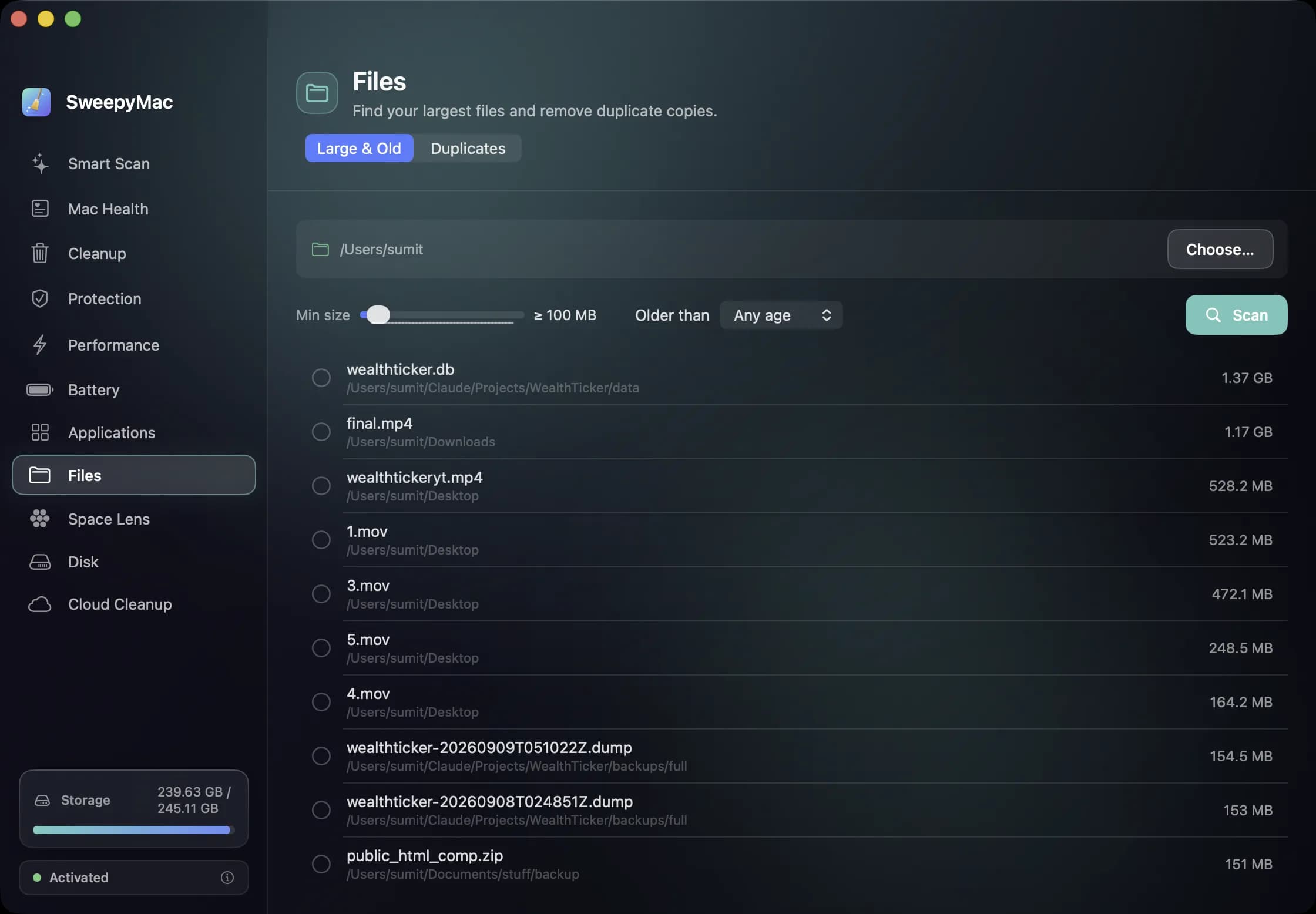
The biggest files on a Mac are rarely the ones you think of. They are the disk image you downloaded to install something in 2023, the screen recording you exported once, the backup of a backup. They are large, they are old, and they are in folders you do not open. SweepyMac's Large & Old scanner is a tool for exactly that pattern: point it at a folder, set a floor, set an age, and read the list.
The controls
Choose… picks the folder; the default is your home folder, and an external drive works too. Min size is a slider from 10 MB to 2,000 MB, with 100 MB as the starting point. Older than is Any age, 3 months, 6 months, 1 year or 2 years, measured by when the file was last modified. Press Scan and the list fills in, with a running "N files checked" so you can see it working; it can be cancelled mid-scan.
Rows show the file name, the folder it is in and its size. Tick what should go and press the button; the standard confirmation appears, the files move to the Trash, and the result bar offers Undo. If nothing matches, the screen says so and suggests a smaller minimum.
What it skips, and why
The scanner leaves four kinds of thing out, and each omission is a decision.
Hidden files. Dotfiles and the folders your shell and tools keep. Large ones are almost always caches with a proper home in Cleanup's Developer Caches category, where they are handled as a group.
App and library bundles. A .app or a .photoslibrary is a folder that macOS presents as one item. The scanner does not look inside, because deleting a file from inside a bundle corrupts it, and a thirty-gigabyte Photos library is not a large file to remove but an app's storage to manage from inside that app.
Your Library folders. The same reasoning: the big things in Library are caches, containers and support files, and they belong to the modules that understand them.
iCloud files that are only online. A file evicted to iCloud has no local bytes to free, and reading it would trigger a download. The scanner never does that, so a scan of iCloud Drive measures only what is actually on the disk.
The hard link rule
Occasionally a row will say it frees no space. That is a hard link: two names for one set of bytes on disk, which Time Machine used heavily and some developer tools still do. Deleting one name leaves the bytes in place for the other. SweepyMac labels those rows and leaves them out of the reclaimable total, so the number at the bottom is what you would actually get back. A scanner that counted them would promise space that never arrives.
Reading the list
Sort by size happens for you; the biggest are at the top. The questions to ask of each row are the same every time. Do I know what this is? If not, Reveal it in Finder and look. Is there another copy? Installers and exports usually have one, and the Duplicates tab next door will find it. Would I notice if it were gone? For a file untouched in two years, the honest answer is usually no, and the Trash holds it until you are sure.
Where it sits
Large & Old is one of two tabs in the Files module; Duplicates is the other. Both work on a folder you choose, both respect Full Disk Access, and both put everything in the Trash with an Undo. If you want the whole-disk picture first, Disk and Space Lens show where the room went; Large & Old is for when you already know the folder and want the list.
Questions people ask
- Why doesn't it list my Photos library?
- Because a library is a bundle, a folder that behaves as one file, and the scanner skips app and library bundles on purpose. Deleting a file from inside one corrupts it. Photos manages its own storage; use its settings for that.
- Will scanning download my iCloud files?
- No. Files that are only in iCloud are skipped, so a scan never triggers a download. Only files with a local copy are measured.
- What is the Older than filter measuring?
- When the file was last modified. A file created years ago and edited last week is not old by this measure, which is usually what you want: it is the untouched ones that are safe to move.
Related reading
- A monthly Mac routine in fifteen minutes, from the keyboardEleven modules is a lot to remember. This is the order we use them in once a month, with the shortcut for each: scan, check health, look for threats, find the big files, hand space back to iCloud, and only then empty the Trash.
- Your first ten minutes with SweepyMacInstall, one permission, a three-day trial and a first scan. What happens at each step, what to say yes to, what you can safely skip, and how to read the screen that comes back before you press Clean.
- What a Mac cleaner should never doMost cleaning apps ask you to trust them. SweepyMac is built so you do not have to: everything it removes goes to the Trash, every clean has an Undo, and every group opens up before you press anything.
Have a question about any of this?
Write in. The person who built the apps reads every message and replies within two working days.