 AppVerz
Blog / 18 September 2026
The one delete path: how SweepyMac is built so it cannot delete the wrong thing
Every removal in SweepyMac goes through a single function with a single guard. Each module publishes the folders it is allowed to clean, the guard rejects anything outside them, and the four permanent actions are fenced off separately. A look under the hood.
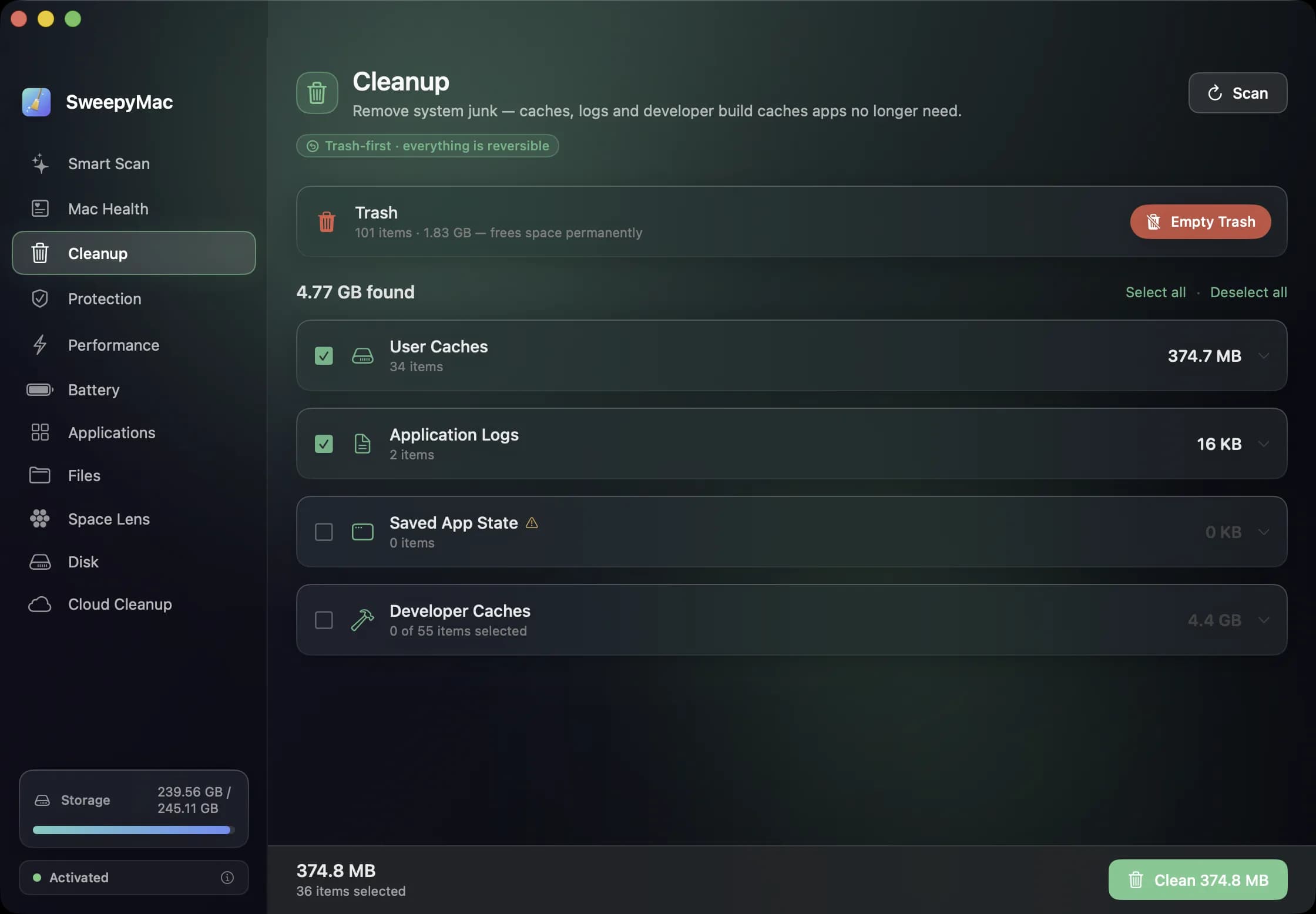
Most of what we have written about SweepyMac is about what it does on screen: Trash first, Undo after, nothing touched until you tick it. This post is about how that is enforced in the code, because a promise about safety is only as good as the structure that makes breaking it hard. The structure is simple enough to describe in one page, and that simplicity is the point.
One function moves files
In the whole app there is exactly one call that moves a file to the Trash. Every module, Cleanup, Applications, Files, Space Lens, the privacy cleaner, the malware quarantine, login items, goes through it. There is no second path, no module with its own delete routine, no "fast path" for the simple cases. When something leaves its folder in SweepyMac, it went through that one function, and that function only knows how to move things to the Trash and report what it moved so that Undo has a list to work from.
This sounds obvious. It is not how most software ends up. Delete code accumulates: a helper here, a shortcut there, each written for one screen and each slightly different. Having one path means there is one place to get right, one place to test, and one place a reviewer has to read.
Every module declares its territory
The function does not decide what it may move. That decision is made by a guard, and the guard works from a list of allowed roots that each module publishes about itself.
Cleanup's roots are the Caches, Logs and Saved Application State folders in your Library, plus the developer cache locations. The Applications module's roots are the two Applications folders and the eleven Library locations where leftovers live. The privacy cleaner's are Caches and Application Support. Login items' root is your own LaunchAgents folder and nothing else; the system equivalents are read-only because they are not in the list. The malware quarantine's roots are LaunchAgents and Application Support in your Library. Files, Duplicates and Space Lens use whatever folder you chose, and only that.
The consequence for anyone adding a feature is that they are not writing a delete. They are choosing roots. That is the whole job, and the design makes it hard to do anything else.
What the guard checks
Before the one function moves anything, the guard asks three questions about the path. Does it contain a .. component that could climb out of a root? Rejected. Does it resolve, after following any symbolic links, to somewhere outside every root? Rejected, so a link planted in a cache folder that points at your Documents cannot be used to drag Documents into the Trash. Is it strictly inside a root, rather than the root itself? The root is never cleanable, so no module can remove its own territory. Cleanup can empty the Caches folder; it cannot remove the Caches folder.
This is also why Apple's own items never appear as leftovers and why Space Lens refuses to remove your home folder or Documents as a whole. Those are not special cases in the interface; they fall out of the same rule.
The four doors that are not Trash-first
Four actions in the app are permanent, and each is fenced separately rather than passed through the one function.
Empty Trash permanently removes what is in the Trash, with an explicit confirmation. It also clears the last Undo list, because offering Undo for items that no longer exist would be a lie. Uninstalling a root-owned or App Store app uses the macOS administrator prompt; it is still Trash-first, but restoring a root-owned bundle needs the prompt again, so the app offers Open Trash rather than a one-click Undo. Removing a system-level threat goes through the privileged helper, which re-checks the path on its own side before deleting, so a compromised app process cannot ask the root daemon to delete an arbitrary file. And the helper itself can only be installed from a Developer ID-signed build, so a tampered copy of the app cannot carry one.
Findings that can never trigger a removal
The malware scanner finds things in two ways: by examining a file, and by reading a reference to a file in a cron job or a browser extension list. A reference can name any path on the disk. So findings of the second kind are kept in a separate list and can never drive a removal, however alarming they look. The scanner can tell you a cron job points at something suspicious; it will not offer to delete whatever the cron job points at.
Honesty is a return value
Nearly every scanner in the app returns two things: what it found, and whether it saw everything. A permission error or a scan that hit its size cap marks the result incomplete, and the interface shows the orange triangle or the "Not scanned" list. The rule is that a partial scan must never present as an all-clear. There is no type that enforces this; it is a convention, which is why it is written down in the architecture notes in bold for the next engineer.
Why describe this at all
Because "we are careful" is not a claim you can check, and "there is one delete function with one guard and a list of roots per module" is. The user guide tells you what happens on screen. This is why it happens that way, every time, in every module, including the ones we have not written yet.
Related reading
- Annual, monthly or once: choosing a SweepyMac plan, and moving a licence between MacsThree ways to pay, for one, two or five Macs, after a three-day trial with no account. What each plan costs, where the break-even points are, how a key activates and moves to a new Mac, and what the licence check sends.
- The orange triangle: what SweepyMac does when it cannot see somethingEvery scanner meets folders it cannot read. The dishonest ones leave them out and show you a clean total. SweepyMac marks incomplete lists, lists the locations it could not scan, skips health checks it cannot measure, and labels space a deletion would not actually free.
- What a Mac cleaner should never doMost cleaning apps ask you to trust them. SweepyMac is built so you do not have to: everything it removes goes to the Trash, every clean has an Undo, and every group opens up before you press anything.
Have a question about any of this?
Write in. The person who built the apps reads every message and replies within two working days.